Peloton Streak Now Counts Garmin and Other Fitness Apps
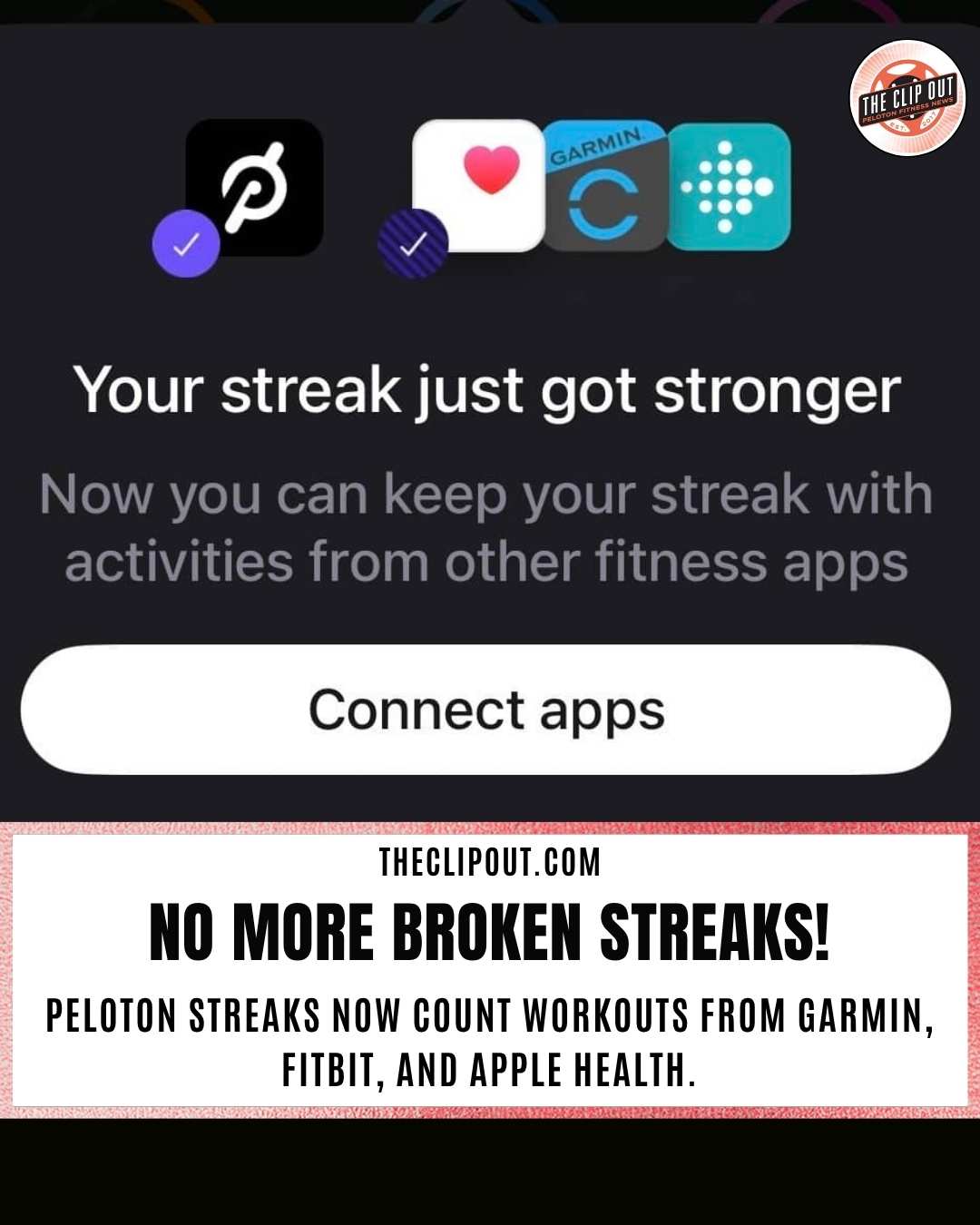
Your Peloton Streak now counts Garmin Connect, Apple Health, Fitbit activity automatically.
Peloton's new cross-app integration means outside activity counts toward your streak, not against it.
Peloton streak tracking just got a meaningful upgrade. The platform now allows members to maintain and build their streaks using activities logged in other connected fitness apps and devices, including Garmin Connect, Apple Health, and Fitbit.
Previously, only Peloton-native workouts counted toward a streak. That meant anyone who completed a run tracked through Garmin Connect, a walk logged through Apple Health, or any activity recorded outside the Peloton app had to accept that day as a streak-breaker. The new integration removes that wall.
This update fits directly into Peloton's broader push to become a platform that works with the rest of your fitness life, not in spite of it. As The Clip Out covered in its breakdown of Peloton IQ biometric integration, Garmin Connect, Fitbit, and Apple Health were already pulling data into the platform to inform coaching and recommendations. The streak feature now extends that ecosystem logic one step further.
How the New Peloton Streak Integration Works
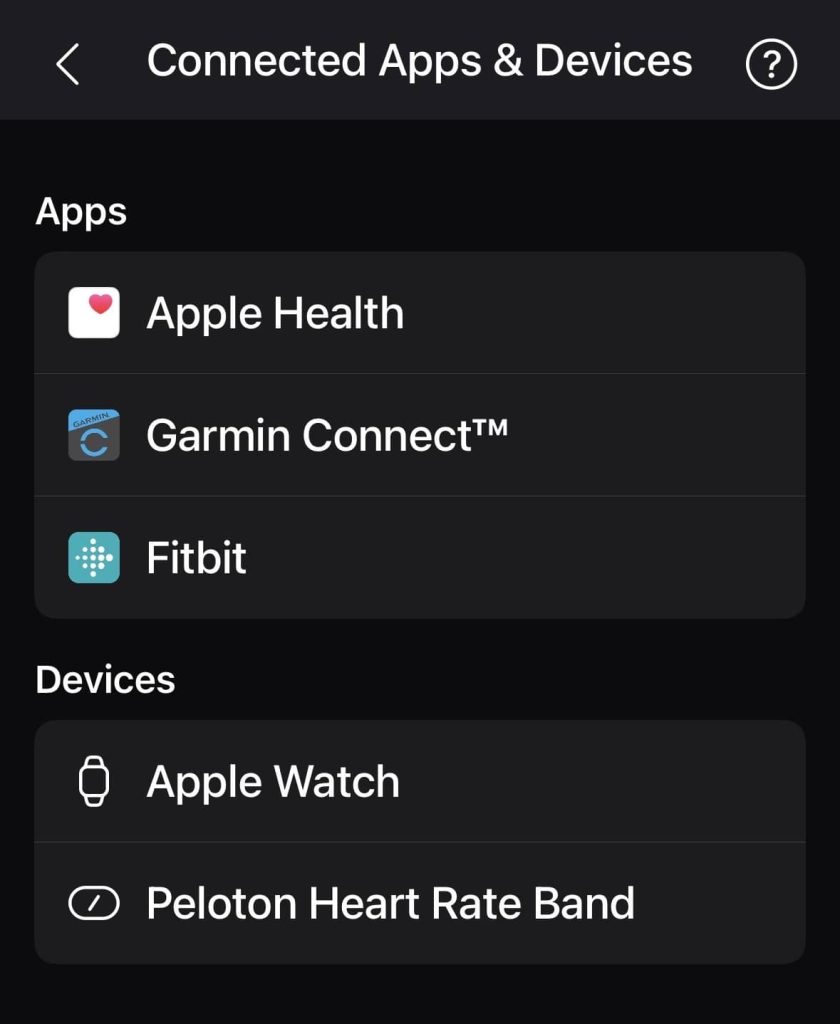
When you connect a supported app or device through Peloton app settings under Connected Apps and Devices, activities from those platforms can automatically import into your Peloton profile. Once imported, those activities count toward your Peloton streak, as well as your goals and challenges.
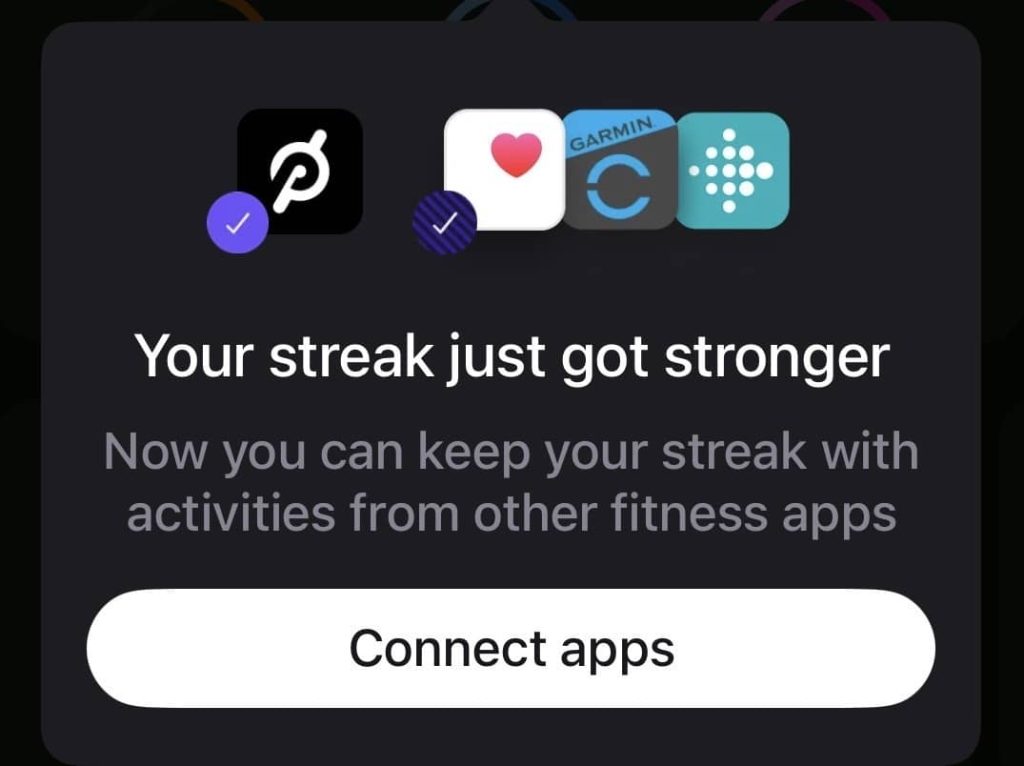
A splash screen visible in the current version of the app confirms the intent directly: "Your streak just got stronger. Now you can keep your streak with activities from other fitness apps." That message appears alongside the logos for Apple Health, Garmin Connect, and Fitbit, framing the feature as streak protection across platforms.
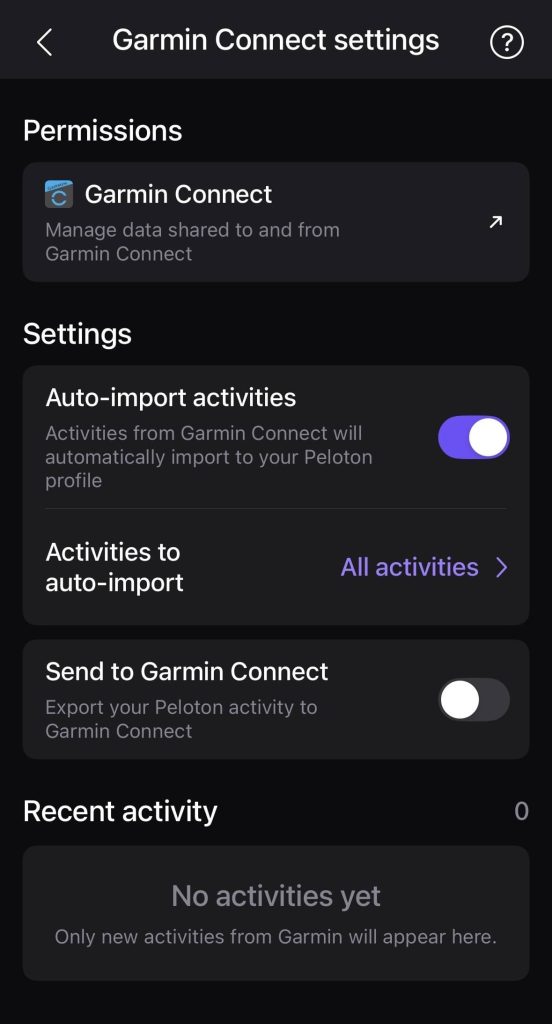
The Garmin Connect settings screen goes further than a simple on/off toggle. It shows an auto-import switch, an option to select which activities to import, and a separate toggle for exporting Peloton activity to Garmin Connect. That last option makes the data flow two-way, so members who want their Peloton workouts to appear inside Garmin Connect alongside their outdoor training can enable it from the same screen. Peloton's own blog confirms that this two-way Garmin Connect integration is now live, noting that Peloton workouts exported to Garmin can contribute to advanced Garmin metrics including Training Status, Recovery Time, and Training Load.
What Each Connected App Brings to Your Streak
The three app integrations currently listed in Peloton app settings each serve a different segment of the member base.
Garmin Connect is the integration for members who train outdoors or with Garmin wearables. Runs, hikes, strength sessions, and other Garmin-tracked activities can import automatically. Peloton's guide to syncing with Garmin Connect walks through the setup process in detail, including how to grant the Write to Garmin Connect permission for two-way data flow.
Apple Health serves iPhone and Apple Watch users who already use Apple's ecosystem to aggregate workout data. Peloton's support page for linking Apple Health covers how to connect the two platforms and control what data is shared. For members who track outdoor workouts, yoga, or strength sessions through Apple's native Health app, this connection means those efforts can finally count.
Fitbit rounds out the connected fitness apps lineup for members using Google's wearable platform. The Peloton and Fitbit partnership, which The Clip Out covered when it launched in August 2024, was already bringing Peloton content to Fitbit Premium users. The streak integration takes that relationship a step further by letting Fitbit-tracked activity flow back into Peloton. Peloton's support page for linking your Fitbit account covers the steps to get connected.
A Better Fit for Members Who Train Across Platforms
For members who train on multiple platforms, this update addresses a long-standing friction point. Someone who takes strength classes and yoga on Peloton during the week but tracks a Saturday morning trail run through Garmin Connect had no path to preserve their streak. That run simply did not exist inside the Peloton ecosystem.
That tradeoff is now gone. A workout logged in Garmin Connect, synced automatically to Peloton through connected fitness apps, can contribute to keeping a Peloton streak alive. Members are no longer forced to choose between their training habits and their Peloton progress.
This also reflects a broader shift in how Peloton is positioning the platform. The Clip Out's coverage of Peloton IQ noted that the platform was already using data from Garmin Connect, Fitbit, and Apple Health to inform coaching recommendations and suggested workouts. Streak protection through connected fitness apps is the natural next step in that direction, making the platform useful to members regardless of where they log their activity.
How to Connect Your Apps in Peloton App Settings
To take advantage of the new integration, open the Peloton app and navigate to Peloton app settings. From there, select Connected Apps and Devices. The screen is divided into two sections: Apps (Apple Health, Garmin Connect, Fitbit) and Devices (Apple Watch, Peloton Heart Rate Band).
Tapping any of the connected fitness apps opens a dedicated settings screen for that integration. Each one shows its own permissions, auto-import controls, and, in the case of Garmin Connect, a toggle for exporting Peloton activity back to Garmin. Set up once and the sync runs automatically in the background.
For step-by-step instructions:
- Garmin Connect: See Peloton's guide to syncing with Garmin Connect for setup details and two-way data flow instructions.
- Apple Health: See Peloton's Apple Health support page for connection instructions.
- Fitbit: See Peloton's Fitbit account linking guide for setup steps.
One Thing to Verify in Your Own Account
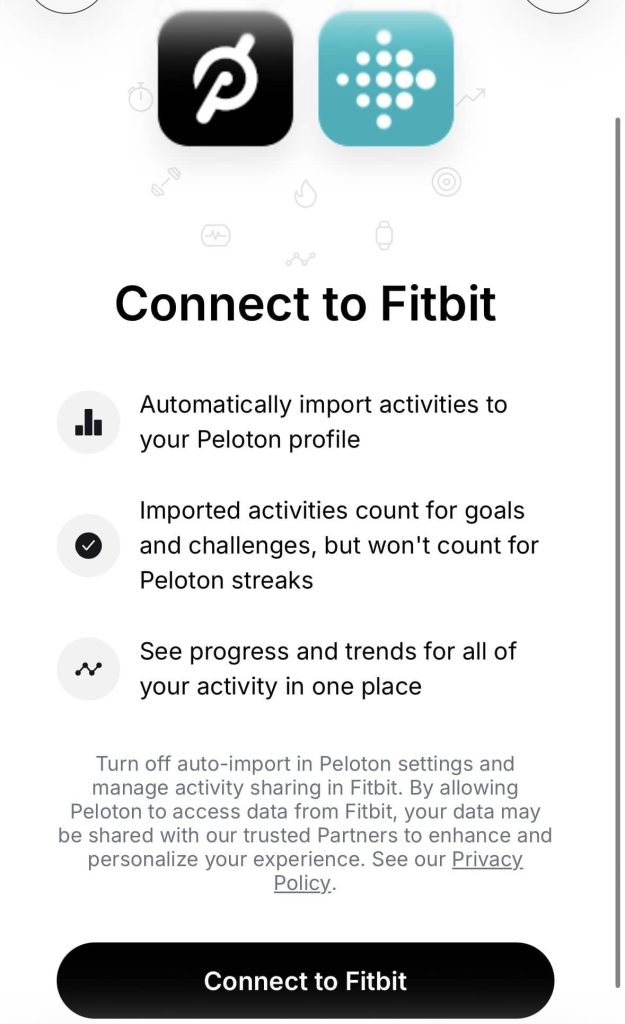
The Fitbit connection screen shown in the app includes a note that imported activities count for goals and challenges but will not count toward Peloton streaks. That language appears to conflict with the streak splash screen, which explicitly says connected fitness apps will protect your streak.
The most likely explanation is that the Fitbit connection screen text reflects older language that has not been updated to reflect the new streak behavior. The streak splash screen is newer and more specific. That said, members who connect Fitbit should log a test activity and confirm the streak behavior in their own account before relying on it. The same applies to Garmin Connect and Apple Health, since rollout timing can vary.
Peloton has not issued a formal public announcement with a specific launch date for the streak expansion, but the functionality is visible and active in the current version of the app.
About Connected Fitness Apps and Peloton App Settings
Peloton's integration with connected fitness apps has expanded steadily over the past year. Garmin Connect, Apple Health, and Fitbit can all be managed directly from Peloton app settings under Connected Apps and Devices. Each connection operates independently, with its own auto-import controls and data-sharing preferences, so members can customize exactly what flows into and out of their Peloton profile.
For members who train across multiple platforms, visiting Peloton app settings to review these connections is worth a few minutes of setup time. The Peloton streak feature, goals, and challenges can all reflect a fuller picture of your fitness once the right connected fitness apps are in place. The Clip Out will continue to follow Peloton app updates as new integrations and features roll out.
The Clip Out is an independent Peloton news site with reporting, analysis, and community insights. We deliver breaking updates, feature reporting, and expert context on the stories driving the community and the industry. Our weekly podcast offers deeper conversation and perspective, and you can find us on Apple Podcasts, Spotify, iHeart, TuneIn, and YouTube Music. You can also follow us on our socials on Facebook, Threads, Instagram, BlueSky, and YouTube. See something in the Peloton universe that you think we should know? Visit us at theclipout.com and submit a tip.
About the Author: Jen Kern



Subscribe
Keep up with all the Peloton news!