

Peloton Stack Feature Gets 2 Handy New Buttons
Continue Stack Button Moves Off the Top Toolbar with New Options Attached
The Peloton Stack feature is rolling out a redesign, and it's already changing how members move from one class to the next. The Continue Stack button, which used to sit in the top toolbar next to Bookmark, Share, Rate, and Workout Details, has been removed from that row entirely. In its place, a "Continue Your Stack" panel now appears on the left side of the post-class screen.
The new panel shows the next class card in the stack, complete with a position marker such as 1/6, along with two buttons underneath: Swap Class and Browse Classes.
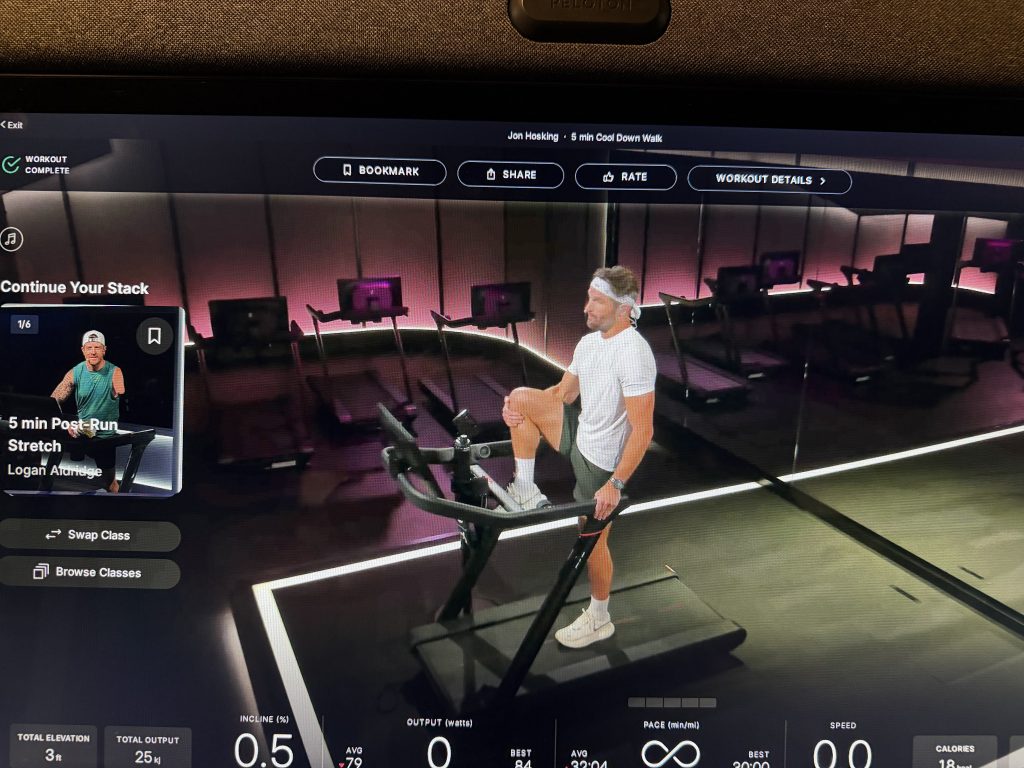
How the Peloton Stack Feature Buttons Work
Swap Class replaces the upcoming class shown in the stack with a different one, without leaving the panel. Tapping it pulls in a new class card instantly, complete with an updated title and length, while keeping the rest of the stack order intact.
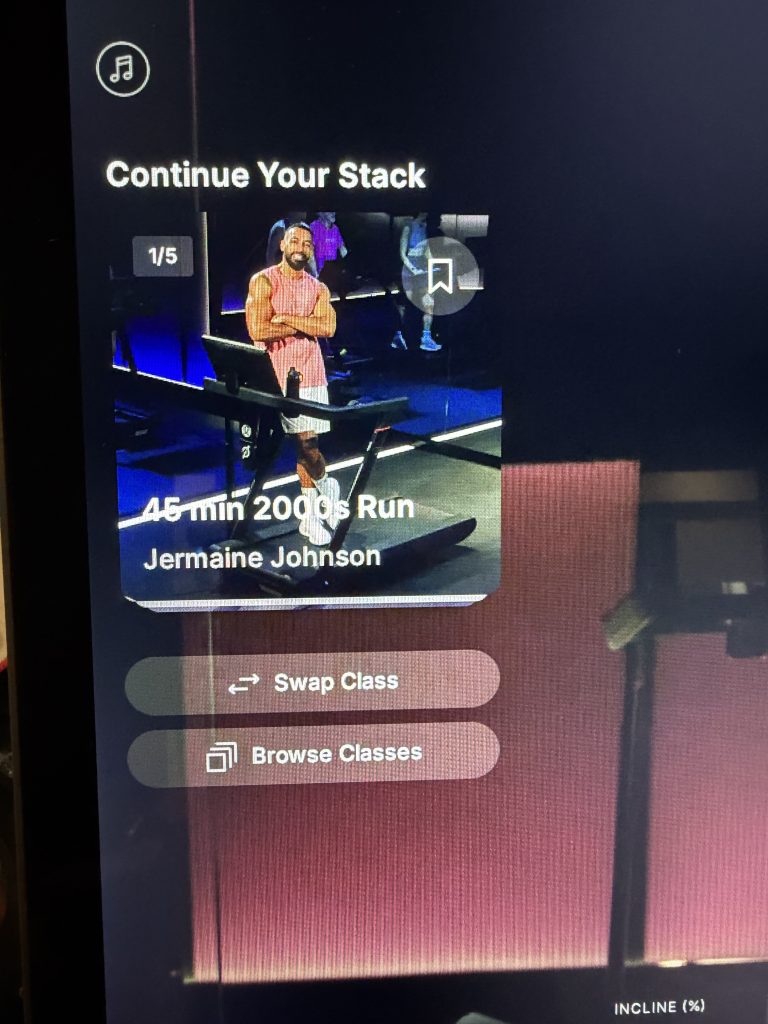
Browse Classes works differently. Instead of swapping within the stack, it exits the panel entirely and returns members to the main class library, where filters for Tread, Running, Strength, Pilates, Cardio, Stretching, and more are available to pick something new from scratch.
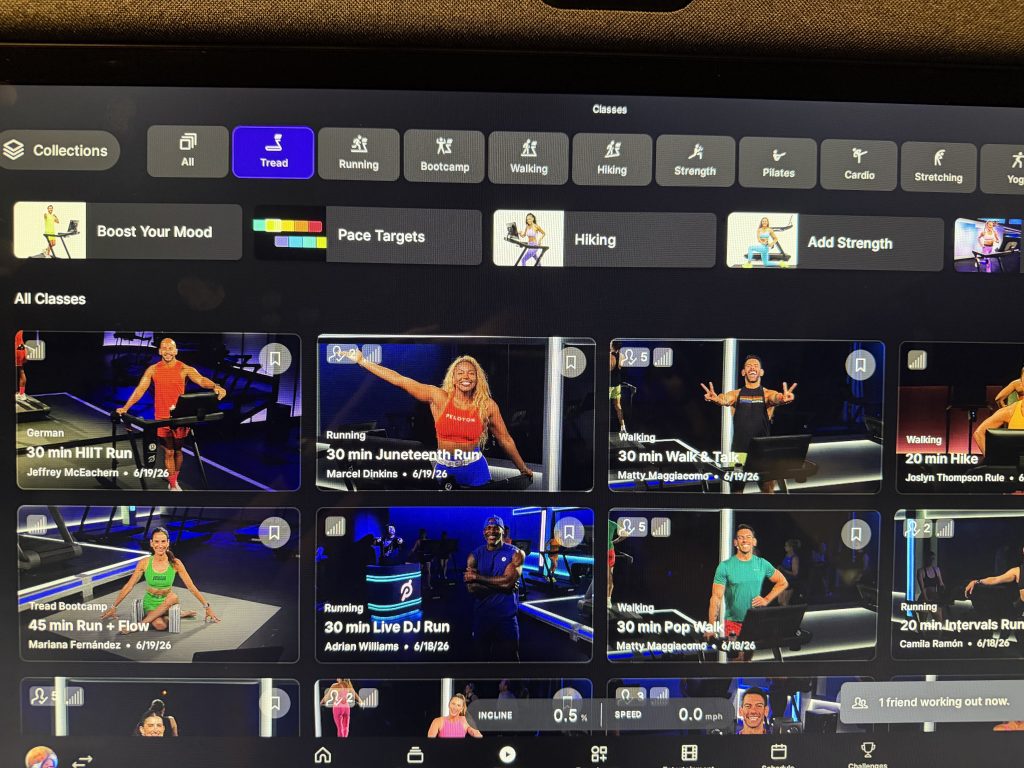
Both buttons sit below the class thumbnail, in the same spot the old Continue Stack button used to point to before tapping through. The difference now is that members get a choice right there instead of being routed straight into the next class.
Stack Details Still Live in a Separate Screen
The Peloton Stack feature redesign only affects the post-class screen. The full Stacked Classes screen, where members can see every class queued up along with total class count and combined run time, is unchanged. That screen still includes its own Modify Stack option in the top right corner, separate from the new Swap Class and Browse Classes buttons added after a class ends. Members can review the full rundown of Stacked Classes directly through Peloton's support site.
Rollout Looks Inconsistent Across Equipment
The Peloton Stack feature update does not appear to be hitting every machine at once. One member confirmed the new panel showed up on a Cross Training Tread+ but had not yet reached their Bike. Another member reported the opposite, with the new buttons visible on a Bike+ but missing from their Tread+.
That pattern points to a staggered rollout rather than a clean split by equipment type. Members who do not see the Swap Class button or Browse Classes button yet on one device may want to check another Peloton machine in their home before assuming the update has not reached them.
Stacking has been part of Peloton's platform since 2021, letting members queue up multiple classes, including Tread runs, Strength sessions, Yoga, and more, to take back to back. This latest change to the Peloton Stack feature fits a broader pattern Peloton has followed since CEO Peter Stern's Q3 FY2026 earnings call, where leadership pointed to steady software refinement as part of the company's path back to profitability.
For now, the safest bet is to check each piece of equipment individually. The redesigned Peloton Stack feature, with its new Swap Class and Browse Classes buttons, appears ready to become standard once the rollout finishes reaching the full equipment lineup.
The Clip Out is an independent Peloton news site with reporting, analysis, and community insights. We deliver breaking updates, feature reporting, and expert context on the stories driving the community and the industry. Our weekly podcast offers deeper conversation and perspective, and you can find us on Apple Podcasts, Spotify, iHeart, TuneIn, and YouTube Music. You can also follow us on our socials on Facebook, Threads, Instagram, BlueSky, and YouTube. See something in the Peloton universe that you think we should know? Visit us at theclipout.com and submit a tip.
About the Author: Jen Kern

Latest Podcast


Subscribe
Keep up with all the Peloton news!