

Peloton Self Paced Workouts: 3 Essential Ways to Start
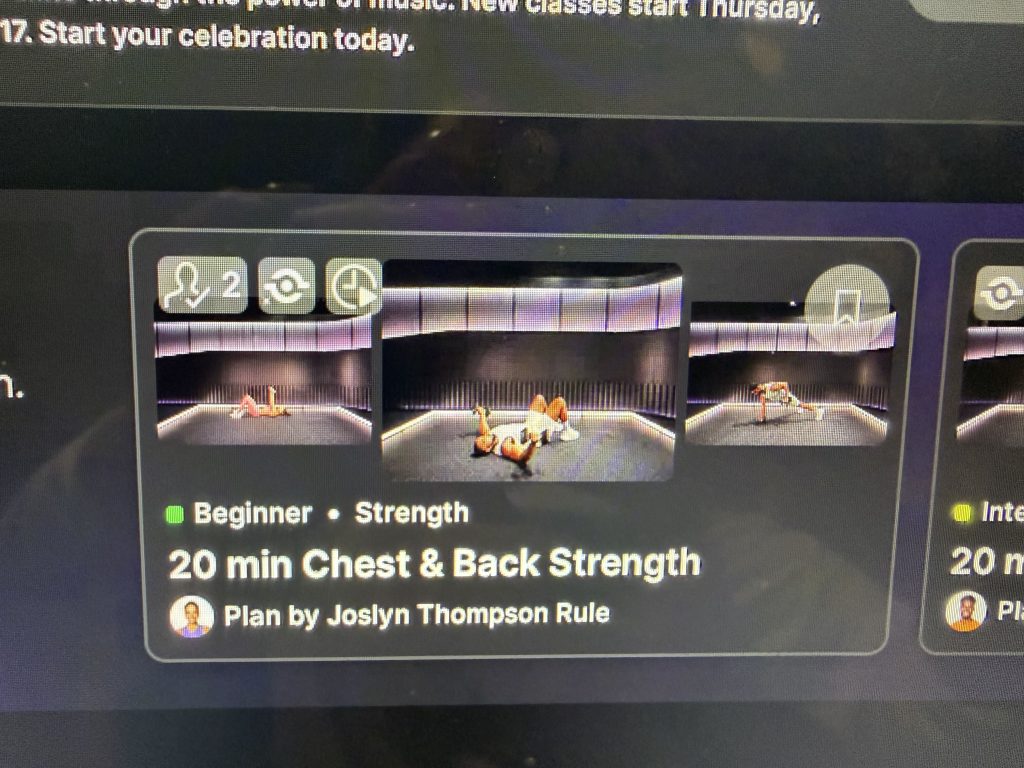
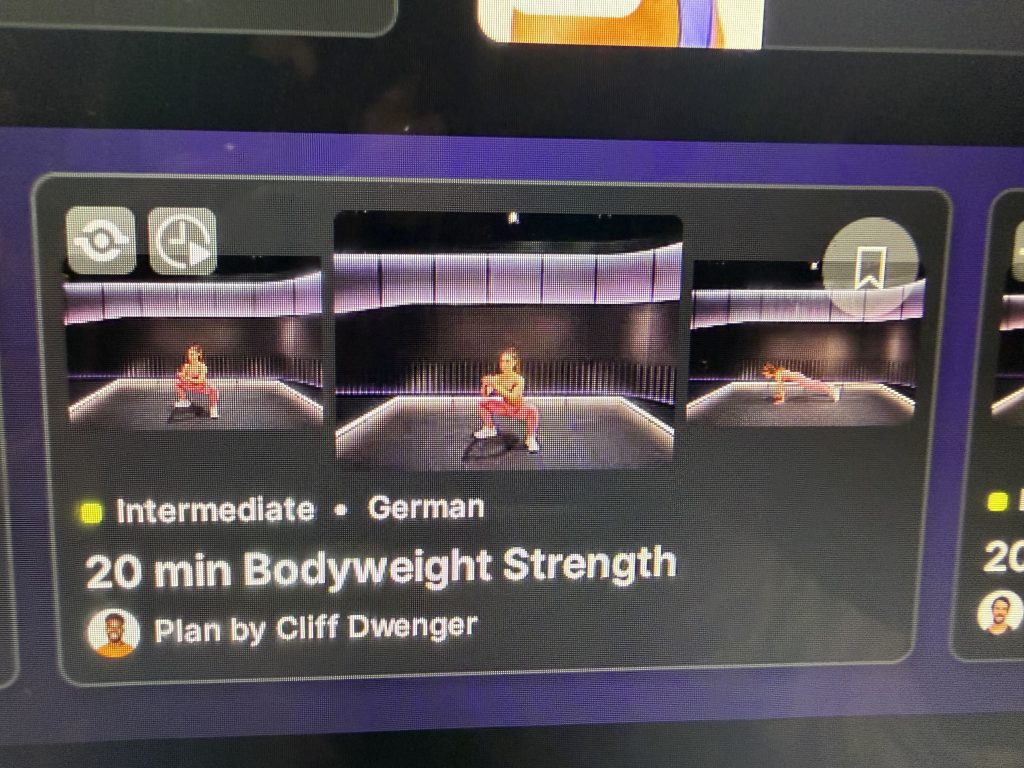
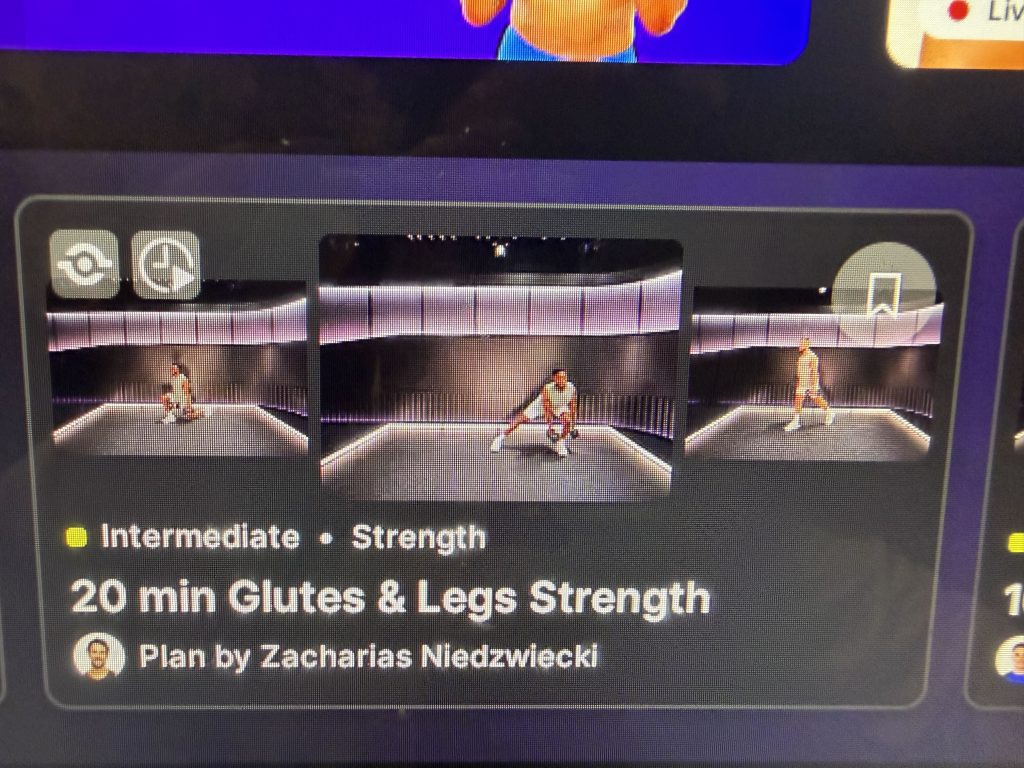
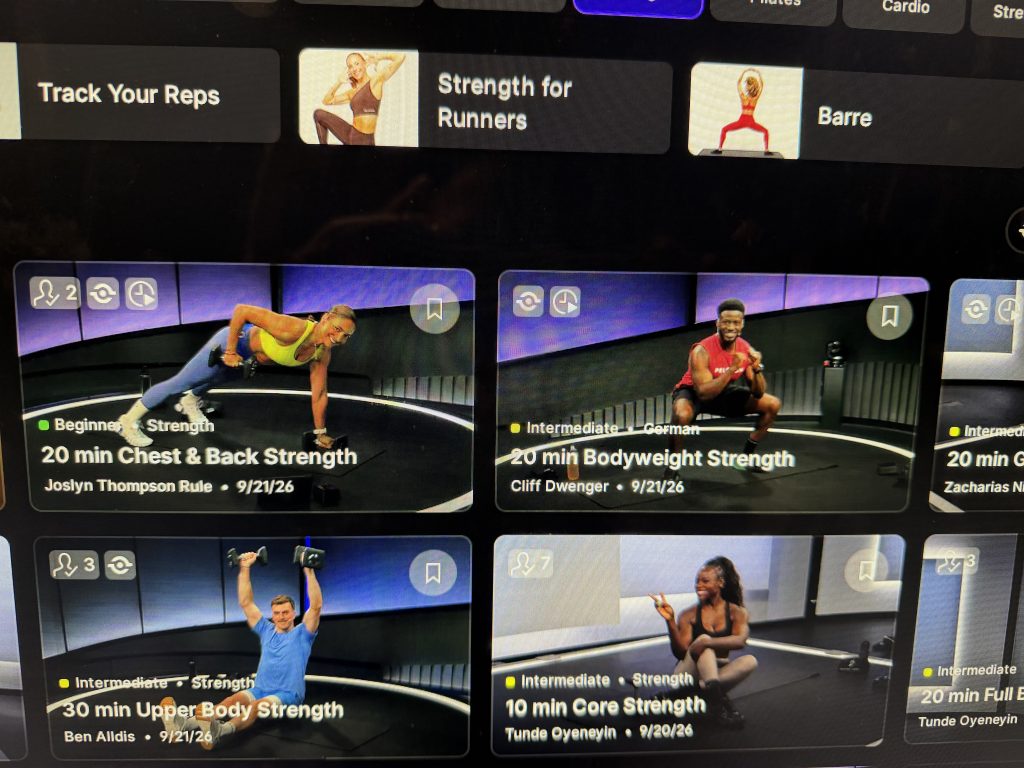
Class cards tied to Peloton self paced workouts run from 10 to 45 minutes across beginner and intermediate levels, and the library includes many more than pictured here. A timer-style icon in the top right corner of a class card marks it as one members can modify. Among the classes pictured, it appears on 20 min Chest & Back Strength with a plan by Joslyn Thompson Rule, 20 min Bodyweight Strength with a plan by Cliff Dwenger, and 30 min Upper Body Strength with a plan by Ben Alldis, but not on Tunde Oyeneyin’s Core Strength or Full Body cards in the same list.
What Stays Active During Peloton Self Paced Workouts
Peloton self paced workouts keep the strength tools available, according to Peloton: movement tracking, rep tracking, weight tracking, form feedback, and strength benchmarking all stay active. Form Feedback requires the camera module to be rotated open and Display Form Feedback turned on under Profile Settings and Preferences. Peloton also states the camera is optional and that its images and videos are not recorded or stored.
There is no additional charge for Peloton IQ, but an All-Access Membership is required to use the applicable features on Peloton hardware.
Availability is the main limit. Peloton lists Self-Paced Strength among the features found only on the Cross Training Bike+, Tread+, and Row+, so it will not appear on the other devices in the lineup. For members who own Cross Training+ equipment, Peloton self paced workouts run the same class plan as the instructor version, so the choice comes down to whether a session needs an instructor on screen.
[/fusion_text]
The Clip Out is an independent Peloton news site with reporting, analysis, and community insights. We deliver breaking updates, feature reporting, and expert context on the stories driving the community and the industry. Our weekly podcast offers deeper conversation and perspective, and you can find us on Apple Podcasts, Spotify, iHeart, TuneIn, and YouTube Music. You can also follow us on our socials on Facebook, Threads, Instagram, BlueSky, and YouTube. See something in the Peloton universe that you think we should know? Visit us at theclipout.com and submit a tip.
How Peloton self paced workouts work on Cross Training+ equipment, from the Home screen card to the Custom workout builder
After a software update, Peloton self paced workouts showed up on the Home screen of a Cross Training Tread+. The option is built into the Home screen across Cross Training+ equipment, the Bike+, Tread+, and Row+, and appears in three places: a Home screen card, a toggle on class pages, and the Custom workout tile on the Experiences tab.
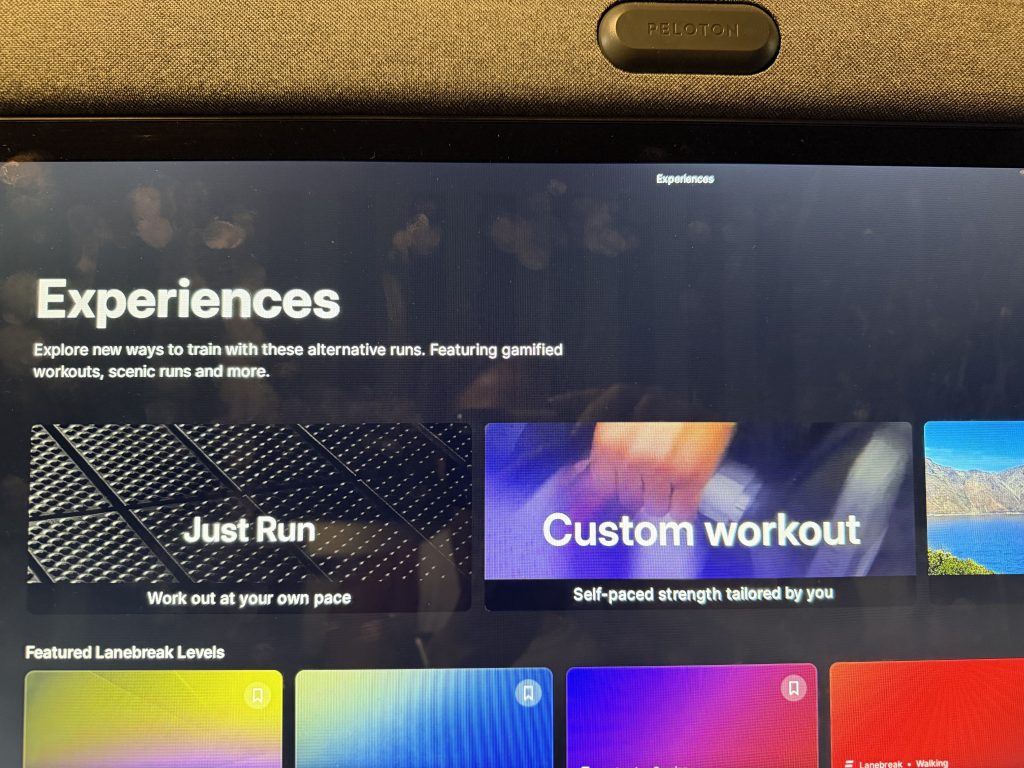
Cross Training+ equipment refers to the plus line of the Peloton Cross Training Series: the Cross Training Bike+, Tread+, and Row+. According to Peloton, Self-Paced Strength is among the features available only on those three machines, along with rep tracking, form feedback, and the Workout Generator.
What Peloton Self Paced Workouts Include
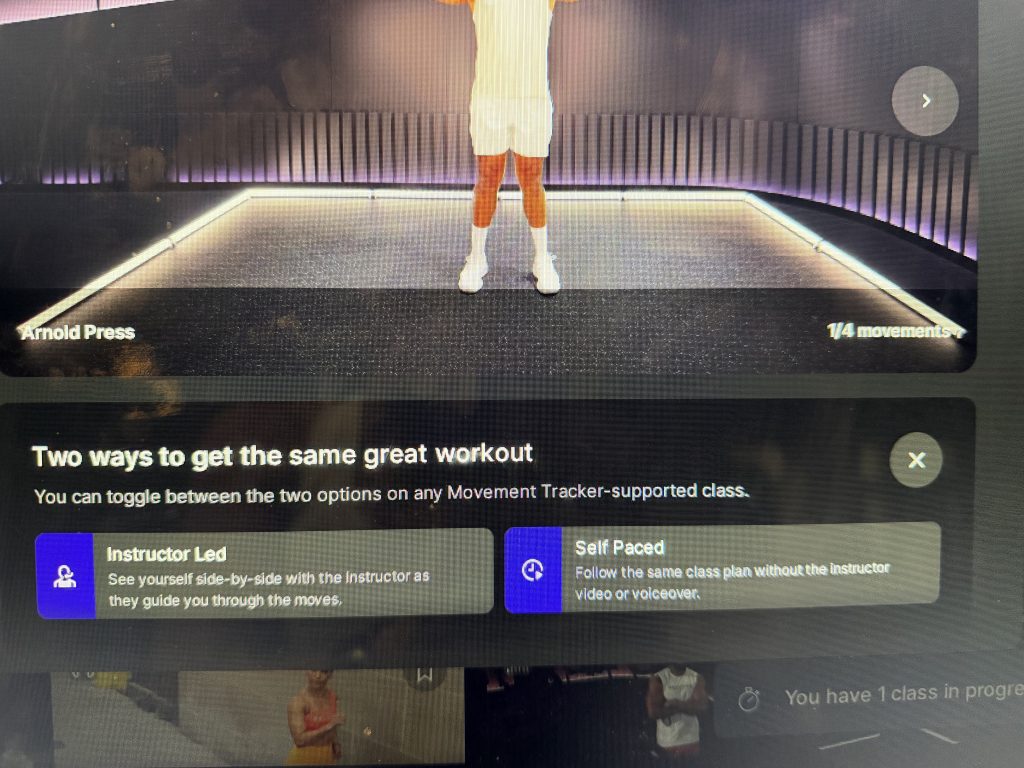
A prompt on the class page reads "Two ways to get the same great workout." Instructor Led shows you side by side with the instructor as they guide you through the moves. Peloton self paced workouts follow the same class plan without the instructor video or voiceover. Per the prompt, members can toggle between the two on any Movement Tracker-supported class.
These tools are powered by Peloton IQ. Peloton says a self paced session includes video move demos, interval and rest timers, rep and set tracking, form feedback, and weight tracking with suggestions.
Three Ways to Start Peloton Self Paced Workouts
1. Use the Home Screen Card
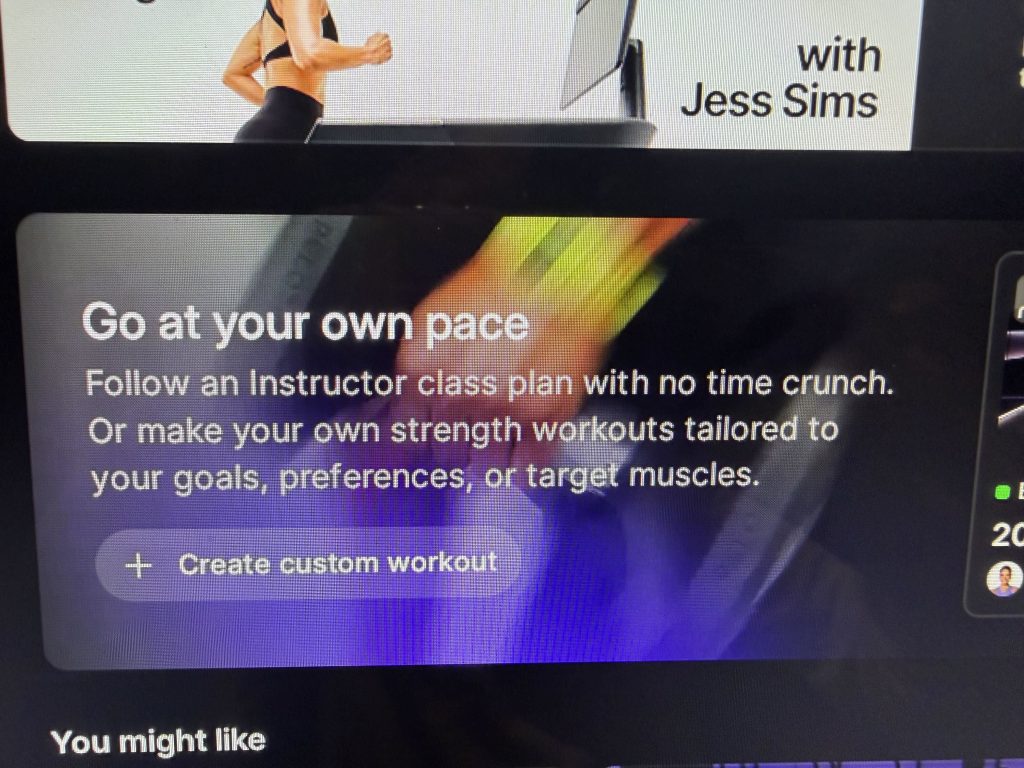
The Home screen card for Peloton self paced workouts is titled "Go at your own pace." Its copy points members to an instructor class plan with no time crunch, or to strength workouts built around goals, preferences, or target muscles. A "Create custom workout" button sits on the same card.
2. Flip the Toggle on a Class Page
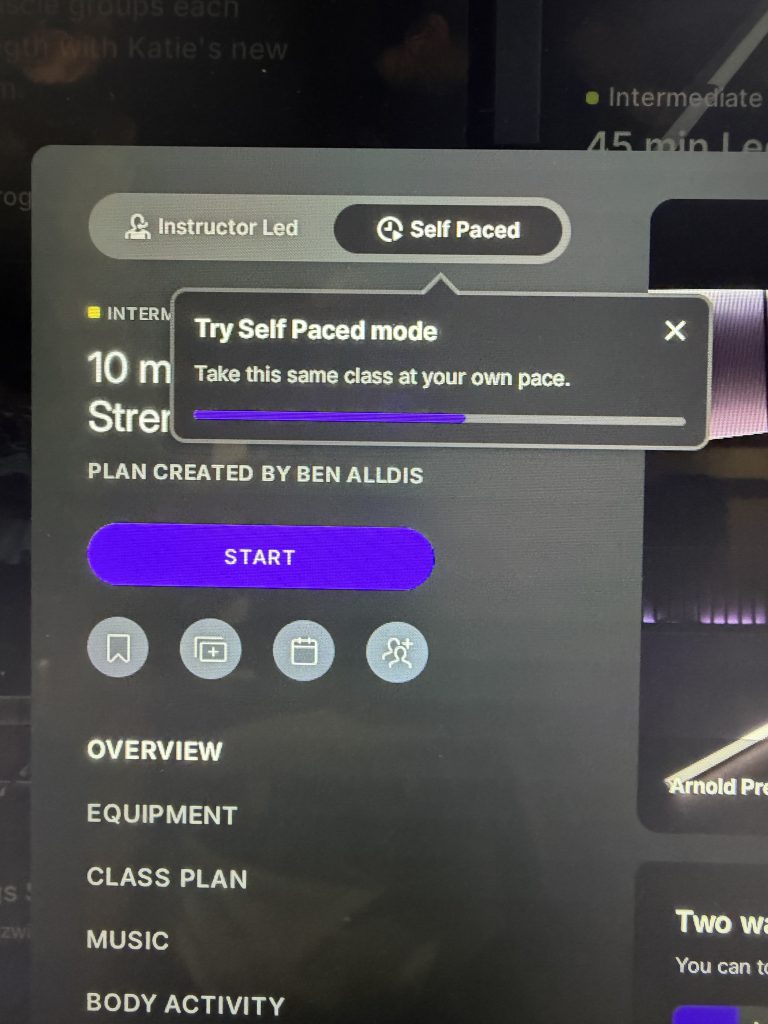
For Peloton self paced workouts in the class library, Peloton directs members to the Classes tab, then the Strength category, then classes marked with a clock and play button icon. Opening one of those classes shows an Instructor Led and Self Paced switch at the top of the page, and a tooltip labeled "Try Self Paced mode" says members can take the same class at their own pace.
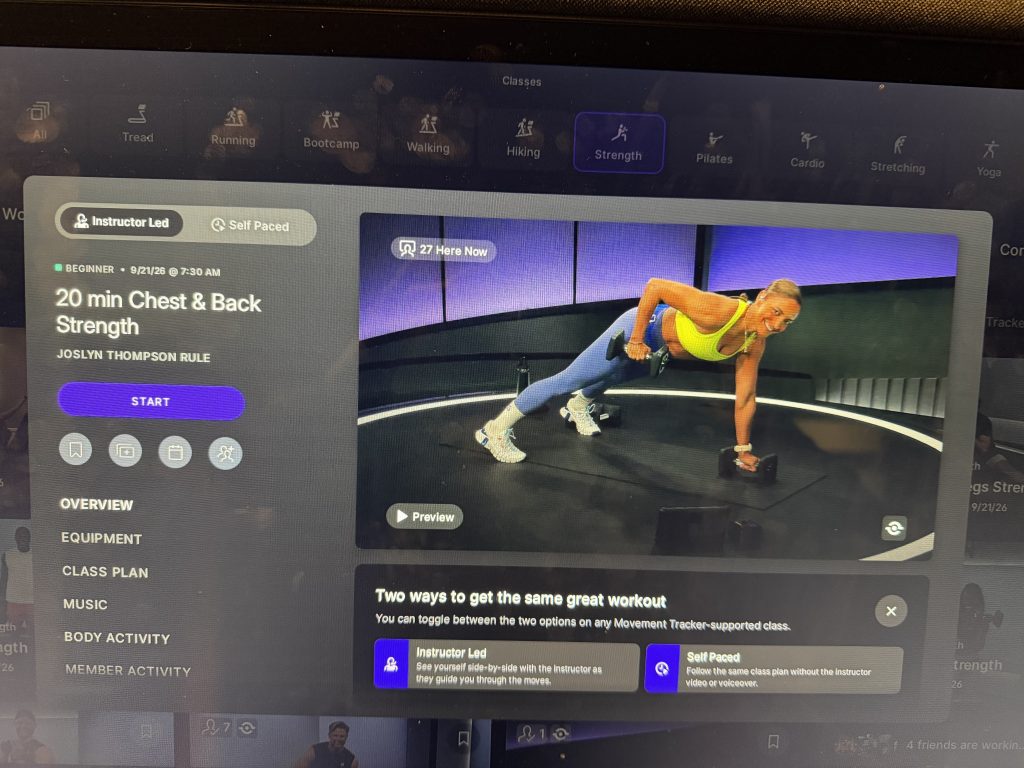
Below the switch, the page lists Overview, Equipment, Class Plan, Music, and Body Activity sections, with a Start button above them. In a 45 min Legs & Shoulders class, a movement preview steps through Arnold Press, Lateral Raise, Cross Body Bicep Curl, and Overhead Extension.
3. Build a Custom Workout
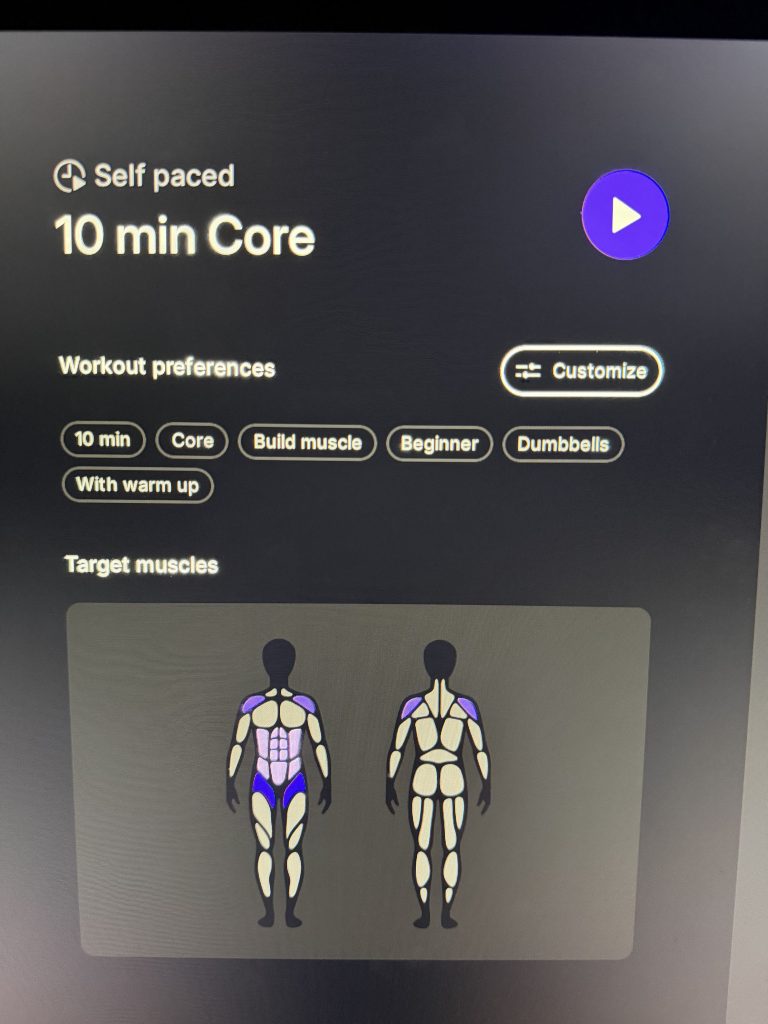
Peloton self paced workouts also cover custom builds. The Experiences tab carries a Custom workout tile with the line "Self-paced strength tailored by you." It opens a Choose workout preferences screen with a warm up toggle, a workout time from 10 to 60 minutes, target muscles, and a focus.
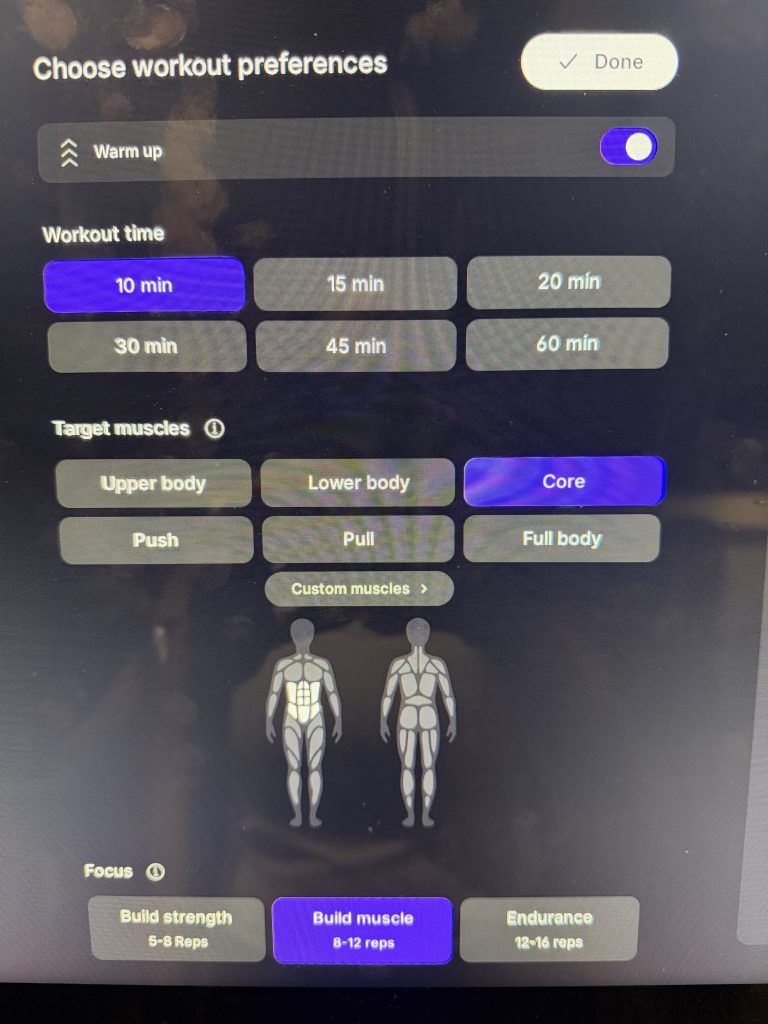
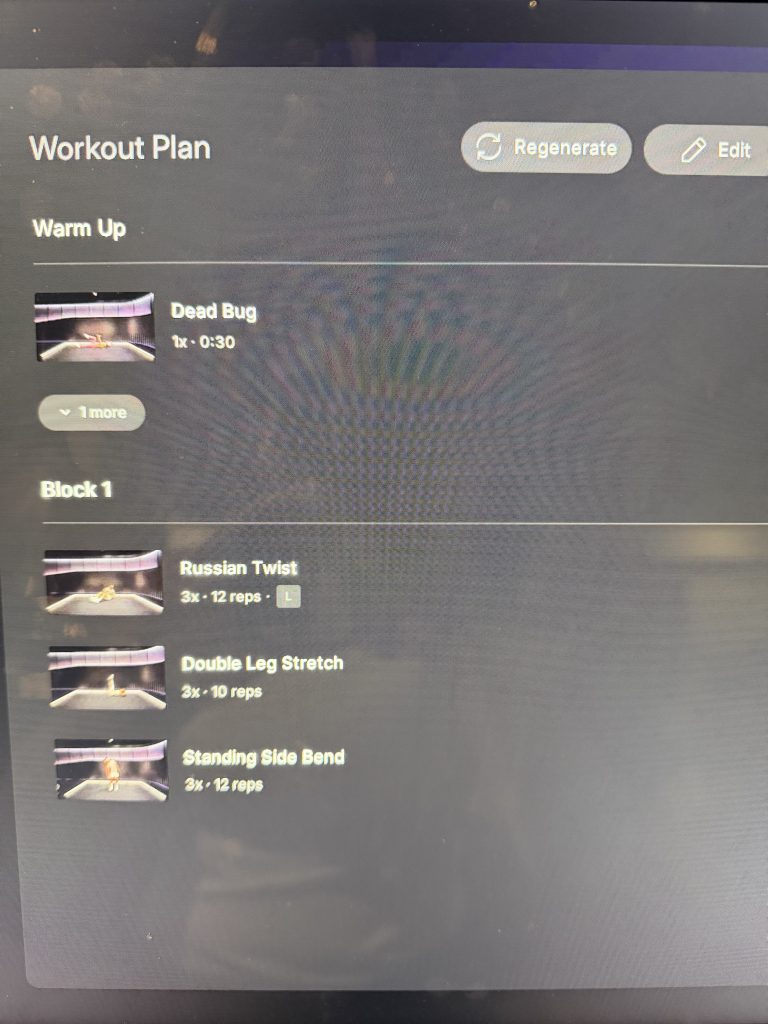
Target muscle options are Upper body, Lower body, Core, Push, Pull, Full body, and Custom muscles. Focus options are Build strength at 5 to 8 reps, Build muscle at 8 to 12 reps, and Endurance at 12 to 16 reps.
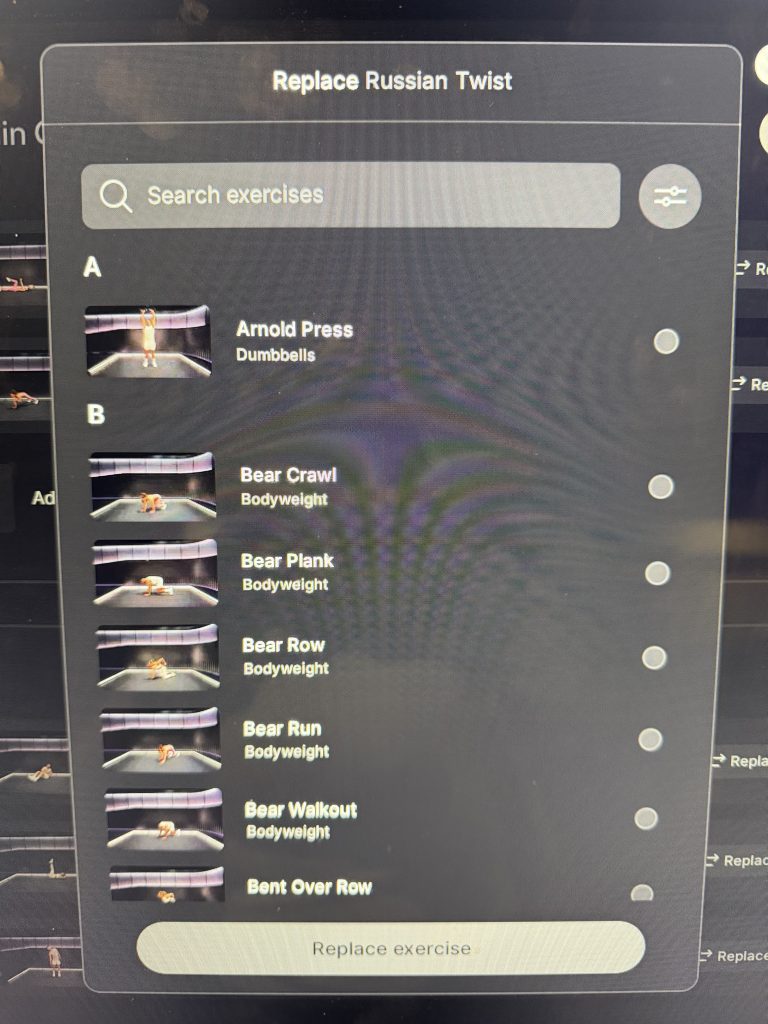
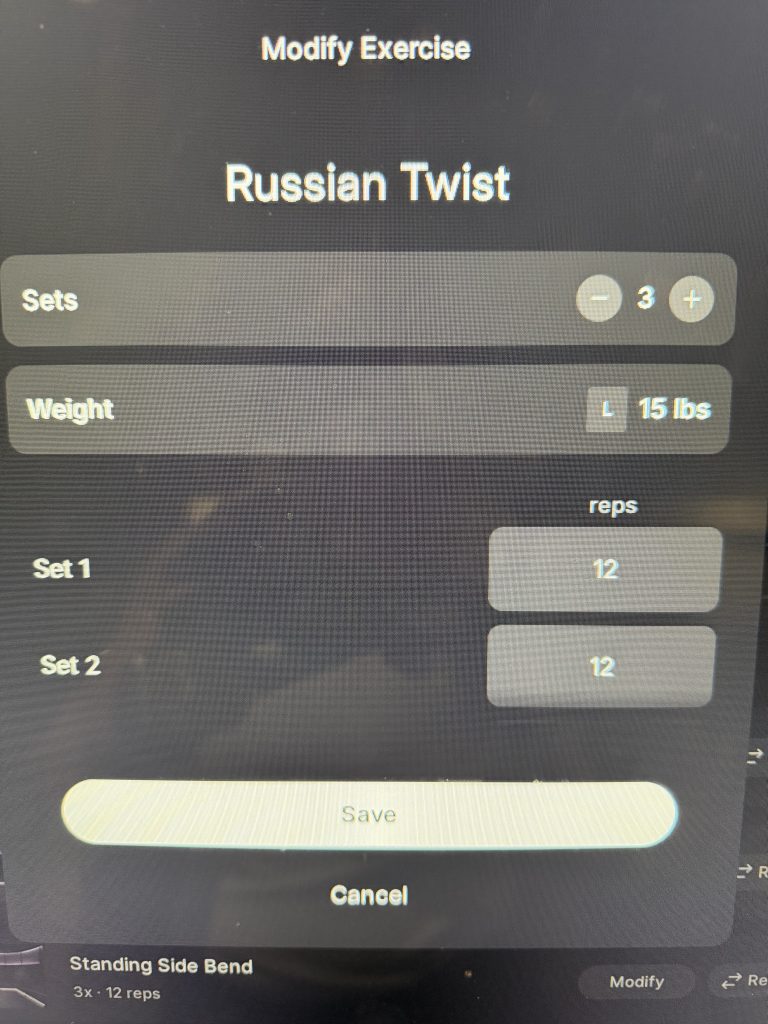
The result is a Workout Plan with a warm up and numbered blocks, such as Russian Twist at 3 sets of 12 reps in a 10 min Core plan. Regenerate builds a new plan. Edit opens Modify and Replace options for each exercise: Modify changes sets, weight, and reps per set, while Replace pulls from a searchable exercise list tagged Bodyweight or Dumbbells. Members can also add exercises or blocks.
The finished plan is labeled Self paced, with a play button and tags such as Build muscle, Beginner, and Dumbbells. Peloton calls this builder the Workout Generator, and The Clip Out reported in June that custom circuits are available only on Cross Training+ equipment, so members on the standard Bike or Tread will not see that option.
Class Cards Show the Range of Options
Class cards tied to Peloton self paced workouts run from 10 to 45 minutes across beginner and intermediate levels, and the library includes many more than pictured here. A timer-style icon in the top right corner of a class card marks it as one members can modify. Among the classes pictured, it appears on 20 min Chest & Back Strength with a plan by Joslyn Thompson Rule, 20 min Bodyweight Strength with a plan by Cliff Dwenger, and 30 min Upper Body Strength with a plan by Ben Alldis, but not on Tunde Oyeneyin's Core Strength or Full Body cards in the same list.
What Stays Active During Peloton Self Paced Workouts
Peloton self paced workouts keep the strength tools available, according to Peloton: movement tracking, rep tracking, weight tracking, form feedback, and strength benchmarking all stay active. Form Feedback requires the camera module to be rotated open and Display Form Feedback turned on under Profile Settings and Preferences. Peloton also states the camera is optional and that its images and videos are not recorded or stored.
There is no additional charge for Peloton IQ, but an All-Access Membership is required to use the applicable features on Peloton hardware.
Availability is the main limit. Peloton lists Self-Paced Strength among the features found only on the Cross Training Bike+, Tread+, and Row+, so it will not appear on the other devices in the lineup. For members who own Cross Training+ equipment, Peloton self paced workouts run the same class plan as the instructor version, so the choice comes down to whether a session needs an instructor on screen.
The Clip Out is an independent Peloton news site with reporting, analysis, and community insights. We deliver breaking updates, feature reporting, and expert context on the stories driving the community and the industry. Our weekly podcast offers deeper conversation and perspective, and you can find us on Apple Podcasts, Spotify, iHeart, TuneIn, and YouTube Music. You can also follow us on our socials on Facebook, Threads, Instagram, BlueSky, and YouTube. See something in the Peloton universe that you think we should know? Visit us at theclipout.com and submit a tip.
About the Author: Jen Kern

Latest Podcast

Subscribe
Keep up with all the Peloton news!