Peloton iOS App Navigation Gets a Sticky Fix
The top-level category bar now stays visible while you browse, so switching between Classes, Collections, and Programs no longer requires backing all the way out.
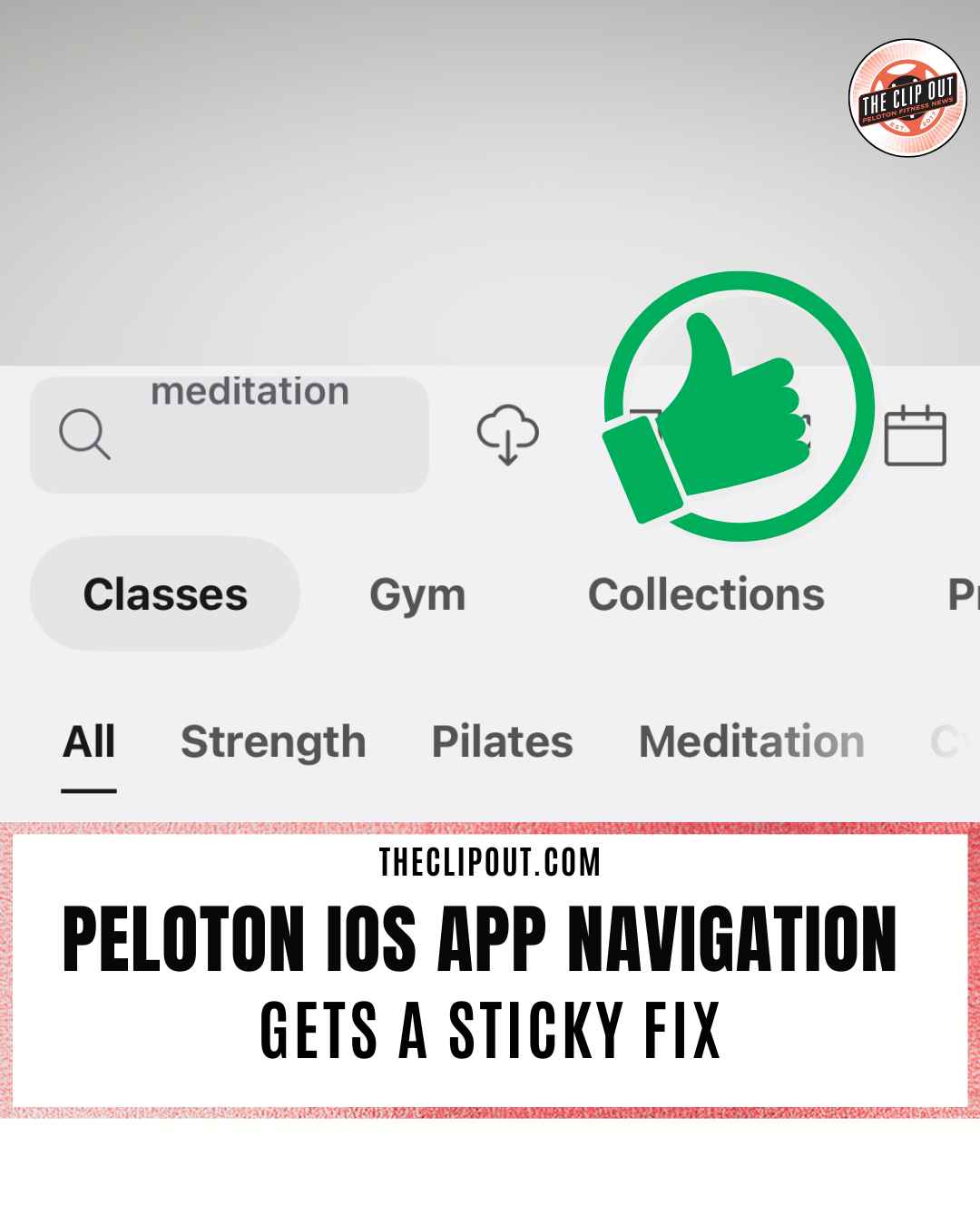
Peloton has updated the Peloton iOS app navigation so the top-level tab bar stays on screen even when you’re filtered into a specific modality. Members searching for classes can now move between Classes, Gym, Collections, and Programs without having to back all the way out and start over.
The change was spotted and flagged to The Clip Out by tipster Nina, who shared a screenshot showing the updated browse experience as of June 29, 2026.
What the Redesign Actually Does
Previously, drilling into a modality search within the Classes tab caused the top-level navigation to disappear. Switching to another section meant navigating backward before you could go anywhere else.
The updated Peloton iOS app navigation keeps both rows visible at the same time. A top row of primary tabs (Classes, Gym, Collections, Programs) remains pinned while a second row of sub-category filters (All, Strength, Pilates, Meditation, and more) appears directly below it. Both stay on screen simultaneously while you browse or search.
Nina’s screenshot showed the layout in action with “meditation” entered in the search bar, displaying both navigation rows clearly. A fellow member confirmed the change was new to them as well.
Why It Changes How You Browse
The practical effect is fewer taps and less backtracking. If you’re in the Classes tab filtering for Meditation content and you want to check Programs, you can do that directly from where you are. The app no longer requires you to exit one section before entering another.
This kind of persistent navigation is standard in many fitness and streaming apps, and the update brings Peloton’s browse experience closer to that model.
Peloton has been making incremental app updates throughout 2026 as part of its broader platform improvements. Whether this Peloton iOS app navigation change also rolled out on Android has not yet been confirmed.
The Clip Out is an independent Peloton news site with reporting, analysis, and community insights. We deliver breaking updates, feature reporting, and expert context on the stories driving the community and the industry.
Our weekly podcast offers deeper conversation and perspective, and you can find us on Apple Podcasts, Spotify, iHeart, TuneIn, and YouTube Music. You can also follow us on our socials on Facebook, Threads, Instagram, BlueSky, and YouTube.
See something in the Peloton universe that you think we should know? Visit us at theclipout.com and submit a tip.
About the Author: Crystal OKeefe

Latest Podcast


Subscribe
Keep up with all the Peloton news!