

Peloton Bookmarked Classes Cap at 3,000, Protect Your Best
Peloton will trim saved lists over the new limit starting December 3, 2026, so members have until December 2 to choose what stays.
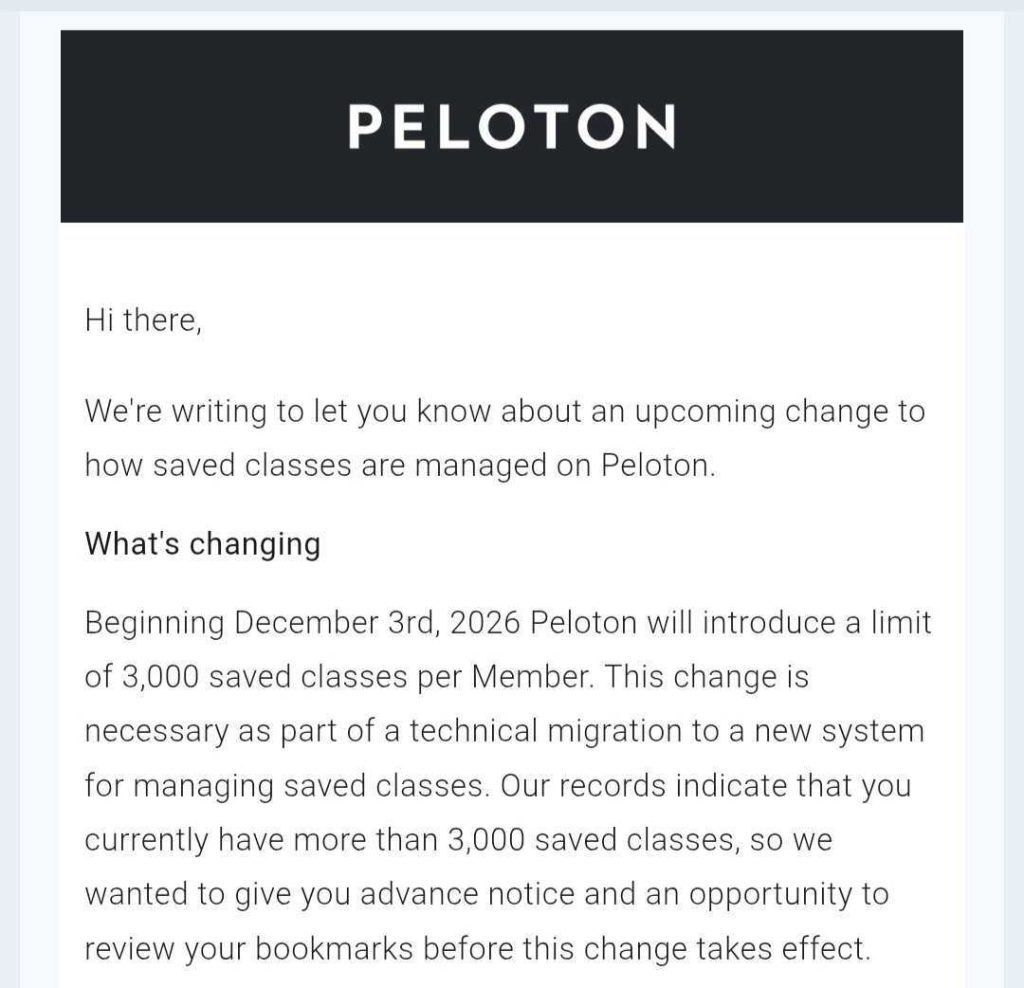
Peloton bookmarked classes will be capped at 3,000 per member beginning December 3, 2026. Peloton is emailing members who are already over that number, giving them until December 2 to review their saved list before the company starts removing classes automatically.
According to Peloton’s email, the change is part of a technical migration to a new system for managing saved classes. For most members, 3,000 bookmarks leaves plenty of room. For longtime members who save every Strength, Yoga, Pilates, Tread, Row, Meditation, and Cycling class that catches their eye, the new saved classes limit could mean losing classes they planned to come back to.
How the Peloton Bookmarked Classes Limit Works
If you have more than 3,000 Peloton bookmarked classes when the update takes effect, Peloton will remove classes until you are back within the saved classes limit. Removals follow a set order:
• First, classes you saved longest ago that you haven’t taken in the past six months.
• If you are still over 3,000 after that, Peloton keeps your most recently saved classes and removes older saved classes until you reach the cap.
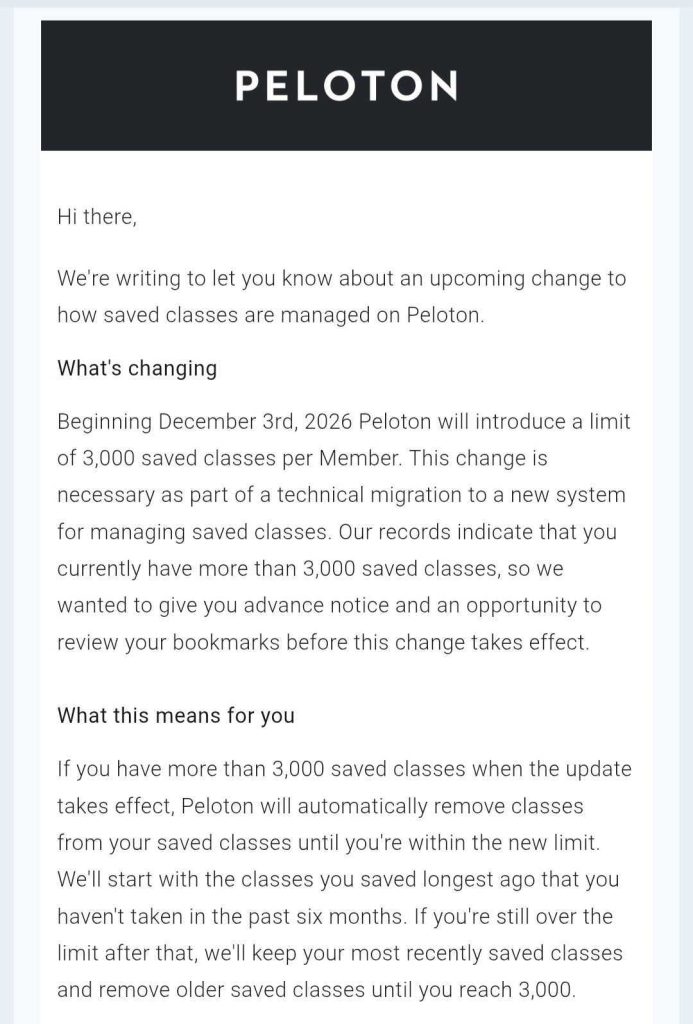
That order favors classes you have used recently. A class you bookmarked years ago and never took is first in line to go, even if it is one you still intend to try.
What Happens to Removed Classes
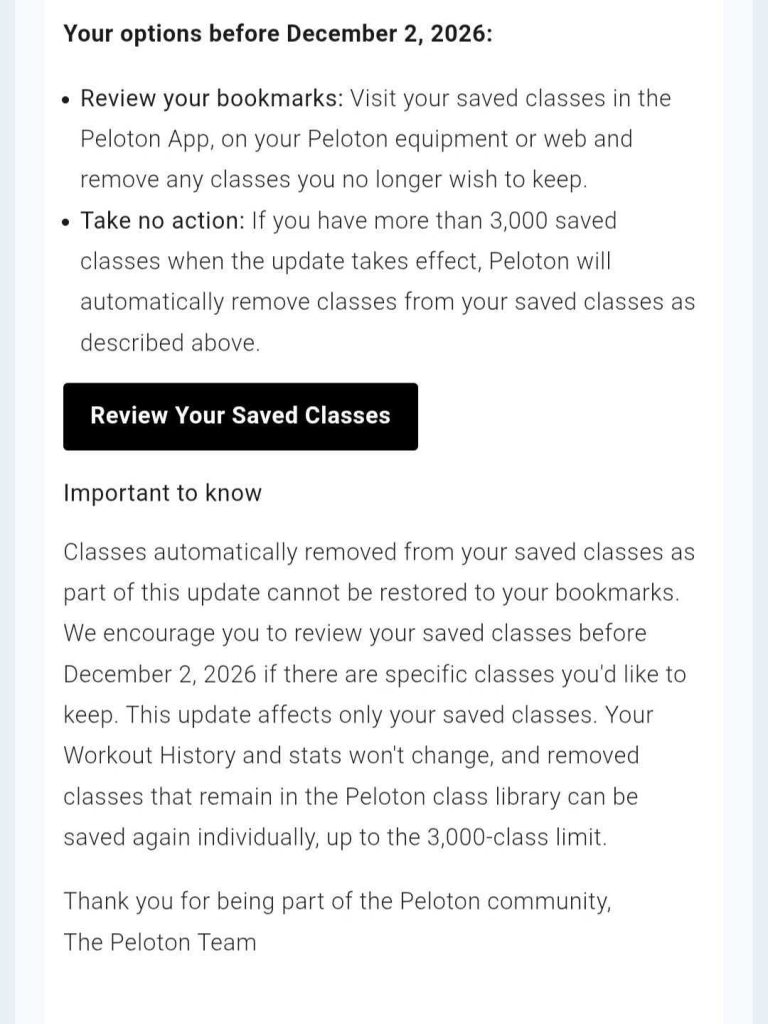
Classes removed automatically as part of this update cannot be restored to your bookmarks. Peloton says the change affects only saved classes, and your Workout History and stats will not change.
Removed classes that remain in the Peloton class library can be saved again individually, up to the 3,000 class limit. That means re-adding a large batch would be a one-at-a-time job, so it is easier to protect the Peloton bookmarked classes you care about now than to rebuild them later.
How to Review Your Peloton Bookmarked Classes
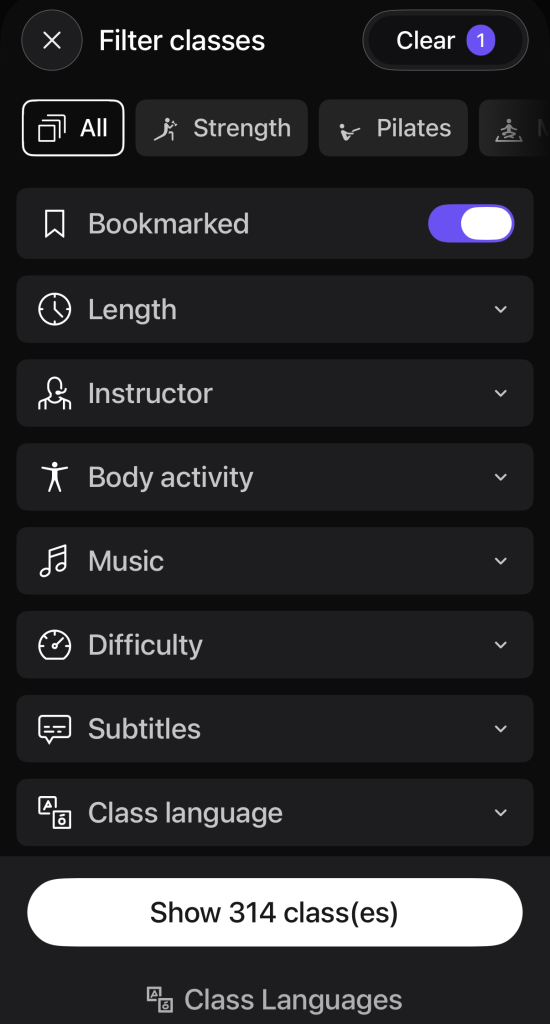
Peloton recommends reviewing your saved list in the Peloton App, on your Peloton equipment, or on the web. In the app, open the Filter classes menu and switch on the Bookmarked toggle. Choosing All at the top shows Peloton bookmarked classes across every discipline, or you can narrow the list to Strength, Pilates, or another category.
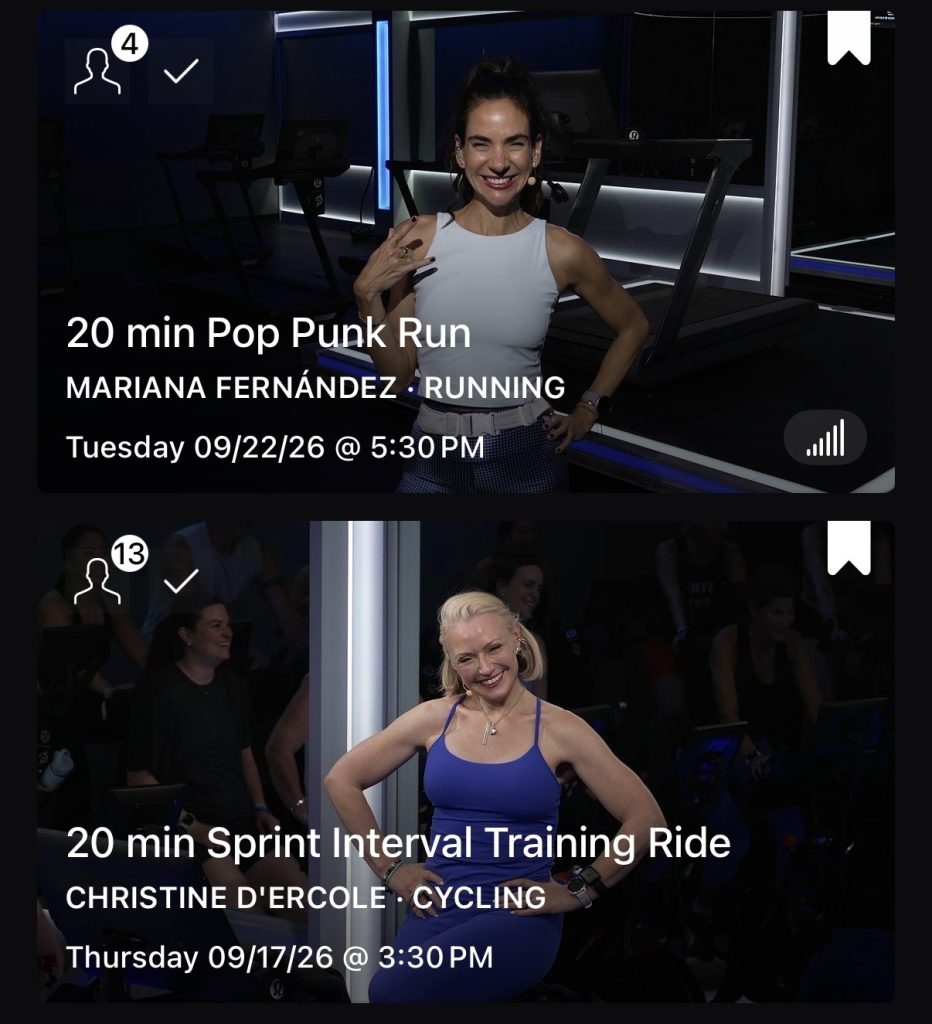
Each saved class displays a filled bookmark icon in the top corner of its class card. Tap that icon to remove a class you no longer want. Peloton’s support guide to bookmarking, filtering, and searching classes covers the feature across Peloton equipment, the iOS and Android apps, web, and select TV platforms.
A few ways to speed up the cleanup:
• Layer your filters. Pair the Bookmarked toggle with Length, Instructor, Difficulty, Music, or Class language to sort a large list in smaller batches.
• Work one discipline at a time. Reviewing Peloton bookmarked classes by category keeps a long list manageable.
• Guard the old keepers. Older saved classes you haven’t taken in six months are removed first, so decide which of those are worth holding onto.
To see your current total, open the Filter classes menu, select All, and switch on the Bookmarked toggle. The button at the bottom of the screen shows how many Peloton bookmarked classes you have, such as “Show 314 class(es).” If your saved list is close to 3,000, trimming well below the cap gives you room to keep bookmarking new classes.
Making the Saved Classes Limit Work for You
Bookmarks are one of several planning tools in the Peloton App. The Peloton Stack, which queues classes to take back to back, has its own cap, and The Clip Out covered a recent Peloton Stack update that lets members edit their queue at the limit.
For members who use bookmarks as a running to-do list, the new saved classes limit is a good reason to treat Peloton bookmarked classes as a curated shortlist instead of an archive. Community picks like The Clip Out’s weekly TCO Top 5 favorite Peloton classes are an easy way to refill a focused list once the cleanup is done.
The deadline to act is December 2, 2026. Members who take no action and are still over 3,000 Peloton bookmarked classes when the update takes effect will have classes removed automatically in the order Peloton outlined.
The Clip Out is an independent Peloton news site with reporting, analysis, and community insights. We deliver breaking updates, feature reporting, and expert context on the stories driving the community and the industry. Our weekly podcast offers deeper conversation and perspective, and you can find us on Apple Podcasts, Spotify, iHeart, TuneIn, and YouTube Music. You can also follow us on our socials on Facebook, Threads, Instagram, BlueSky, and YouTube. See something in the Peloton universe that you think we should know? Visit us at theclipout.com and submit a tip.
About the Author: Jen Kern

Latest Podcast

Subscribe
Keep up with all the Peloton news!