
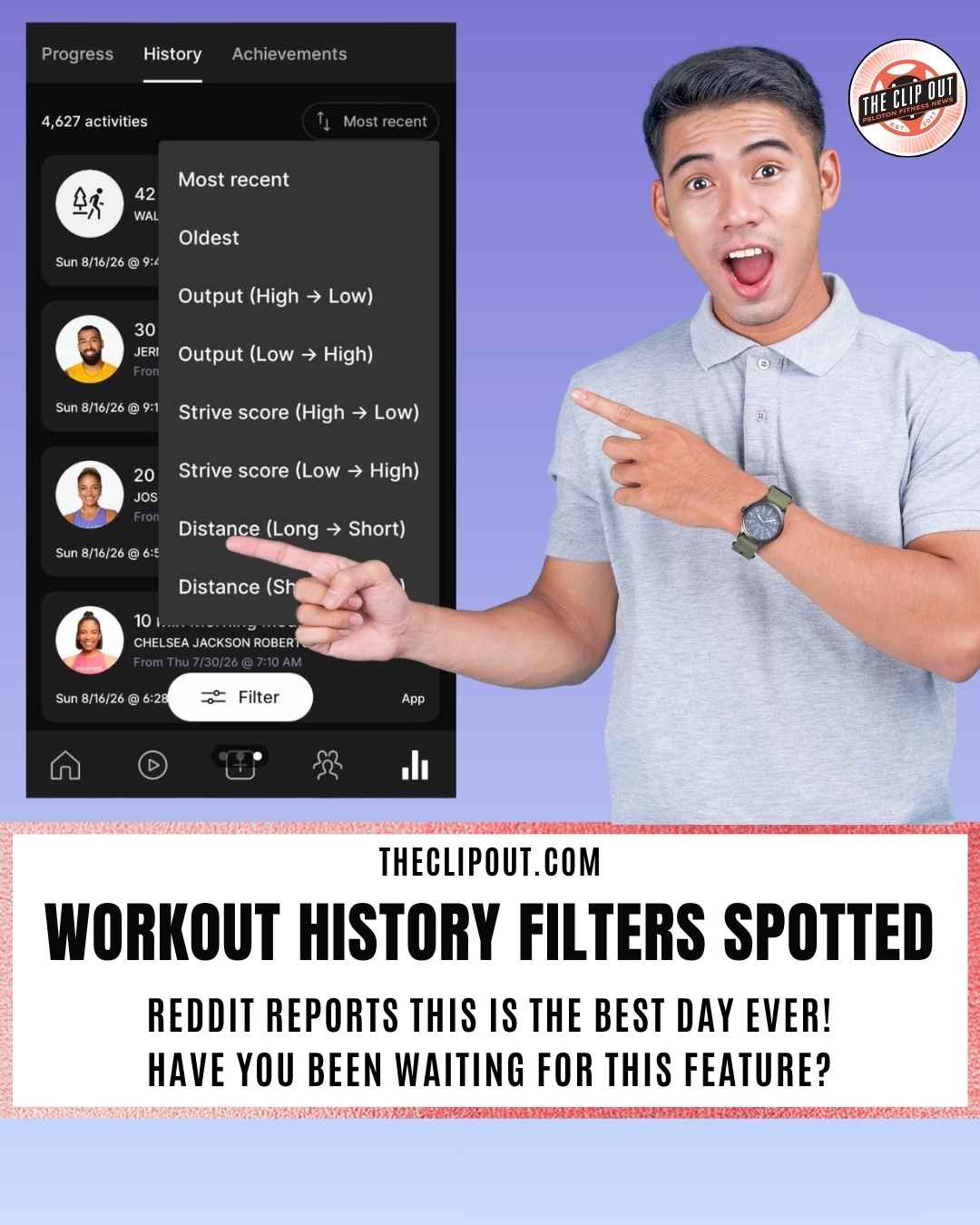
Peloton Workout History Filters Spotted in the App
Peloton Workout History Filters Reach Some Members
A Reddit post shows new sort and filter tools live on the Workout History page, though the rollout has not reached every member yet.
Peloton Workout History Filters are starting to appear inside the app, and members are noticing. A post from Reddit user Isrobgel in r/OnePelotonRealSub, titled “Workout History Filters!!!,” shows a new Filter button sitting at the bottom of the History tab, opening into a menu with options for Instructor, Date Taken, Length, and Sort. The Sort menu alone expands the page well beyond the old Most Recent default, adding Oldest, Output (High to Low and Low to High), Strive Score (High to Low and Low to High), and Distance (Long to Short and Short to Long).
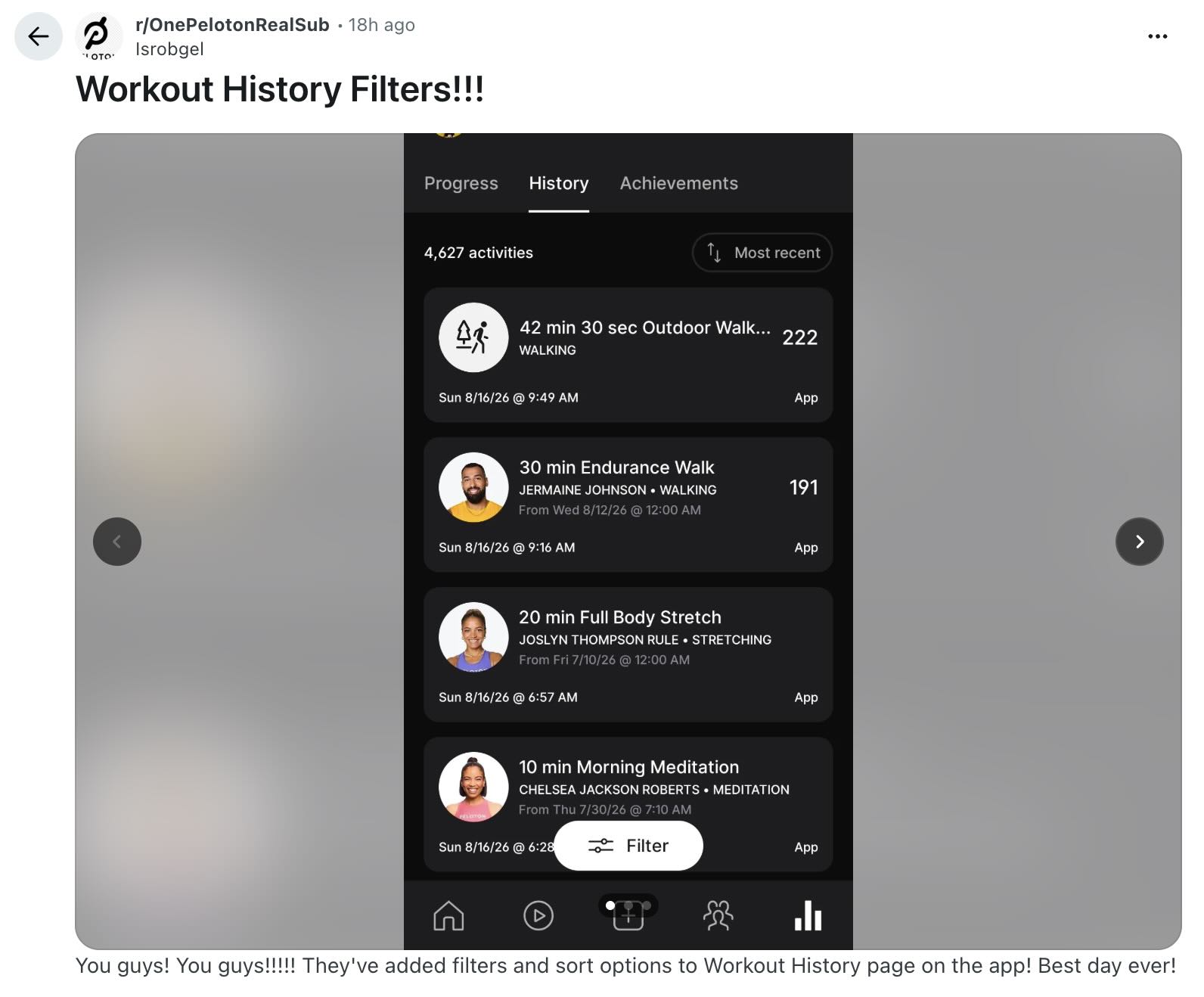
source: Reddit post
Until now, the History tab showed one long, chronological list with no way to isolate a workout type, instructor, or performance metric without scrolling. For members with thousands of logged activities, that made the page more of an archive than a tool. The new Peloton Workout History Filters change that. A member training with a specific instructor can now filter to only that instructor’s classes. Someone chasing a personal best on Strive Score can sort straight to their top-performing sessions instead of hunting for them.
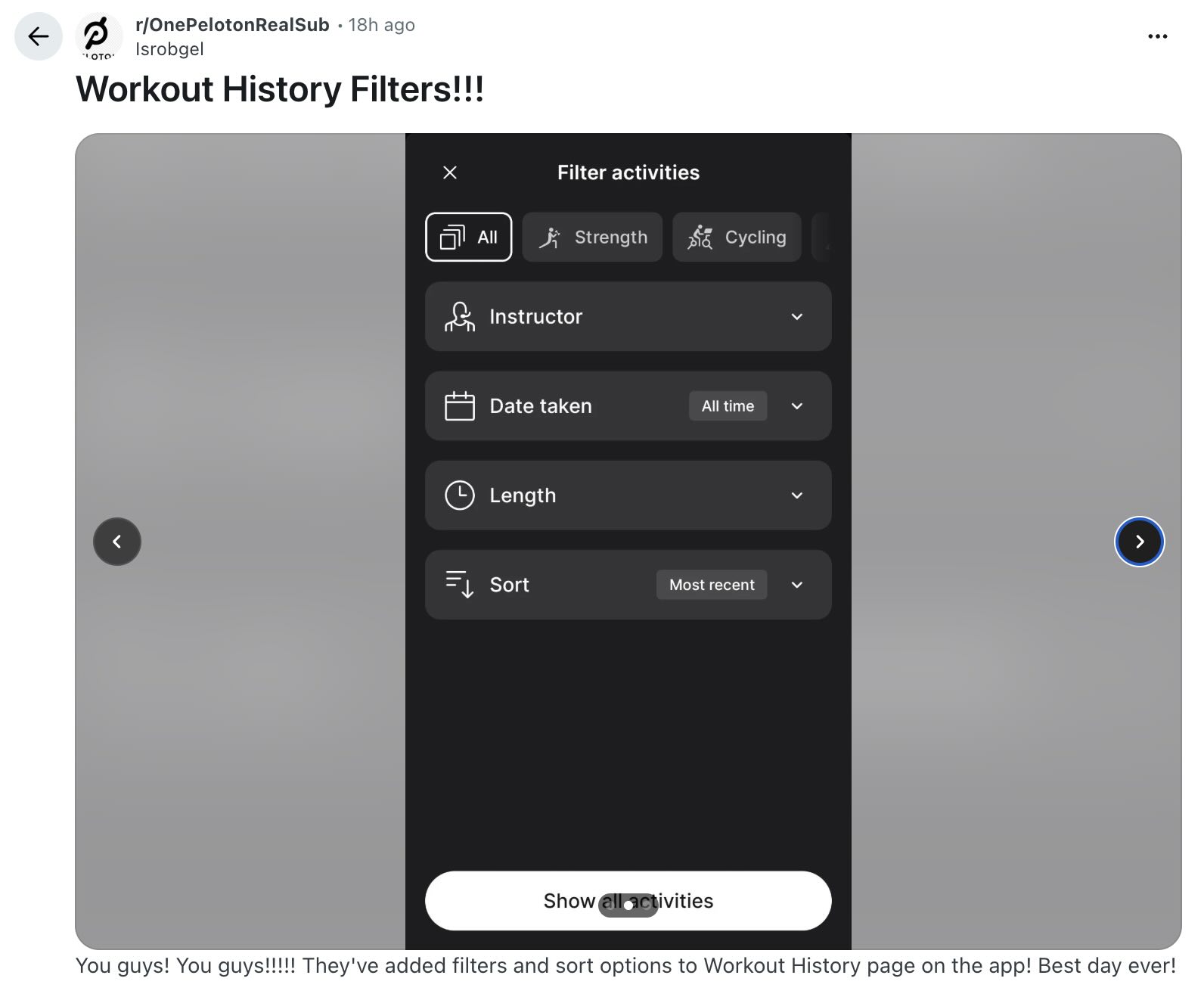
source: Reddit post
Not Everyone Has It Yet
The original poster called it “the best day ever,” but it’s been slow to appear to many. That pattern is familiar to longtime Peloton watchers. Features often surface for a limited group before expanding, and Workout History Filters appear to be following that same path. Peloton has not made any official announcement about this feature.
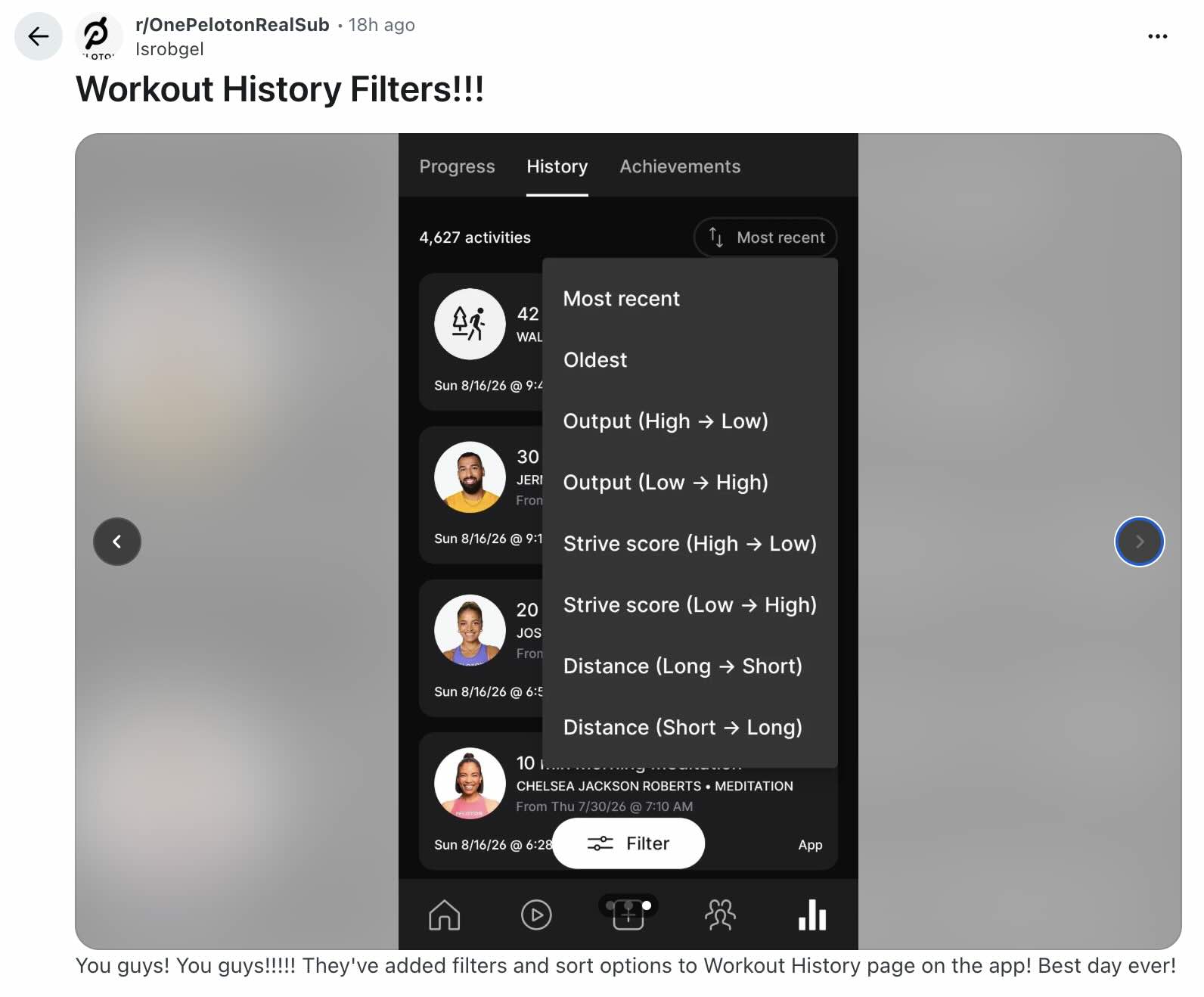
source: Reddit post
A Long Time Coming
Peloton Workout History Filters are the latest step in a slow evolution of how members can actually see and understand their own workout data. For years, anyone who wanted to sort, filter, or analyze their history in any real way had to leave the app entirely. Peloton’s own support article on downloading workout history and data walks members through exporting a full spreadsheet of every workout, complete with minutes, mileage, output, and calories burned, but that spreadsheet lives outside the app, disconnected from the workouts themselves.
The Note to Self feature, rolled out earlier this year, was the first real sign that Peloton wanted the History tab to hold more than a static list. It gave members a private space to log notes directly inside a class, with those notes resurfacing automatically the next time they returned to it. That turned individual workouts into something worth revisiting, not just logging.
Peloton Workout History Filters build directly on that shift. Instead of exporting a spreadsheet to spot a trend, or scrolling past thousands of entries to find one class, members can now filter and sort from inside the app itself. It is the progression members have been asking for: from raw data export, to notes attached to individual workouts, to a History tab that can finally be searched and organized on its own terms.
The catch is that most members cannot use it yet. If this rollout expands the way Note to Self eventually did, Peloton Workout History Filters could become one of the more genuinely useful updates the app has seen in a while. For now, it remains a preview of where the History tab is headed, and one worth hoping reaches everyone soon.
Do you have the Peloton Workout History Filters yet?
The Clip Out is an independent Peloton news site with reporting, analysis, and community insights. We deliver breaking updates, feature reporting, and expert context on the stories driving the community and the industry.
Our weekly podcast offers deeper conversation and perspective, and you can find us on Apple Podcasts, Spotify, iHeart, TuneIn, and YouTube Music. You can also follow us on our socials on Facebook, Threads, Instagram, BlueSky, and YouTube.
See something in the Peloton universe that you think we should know? Visit us at theclipout.com and submit a tip.
About the Author: Elizabeth Schlosberg

Latest Podcast

Subscribe
Keep up with all the Peloton news!