Peloton Run Analysis Now Live With 1 to 100 Efficiency Score
Susie Chan’s intro class walks Tread+ runners through setup, three biomechanical markers, and a Running Efficiency Score from 1 to 100
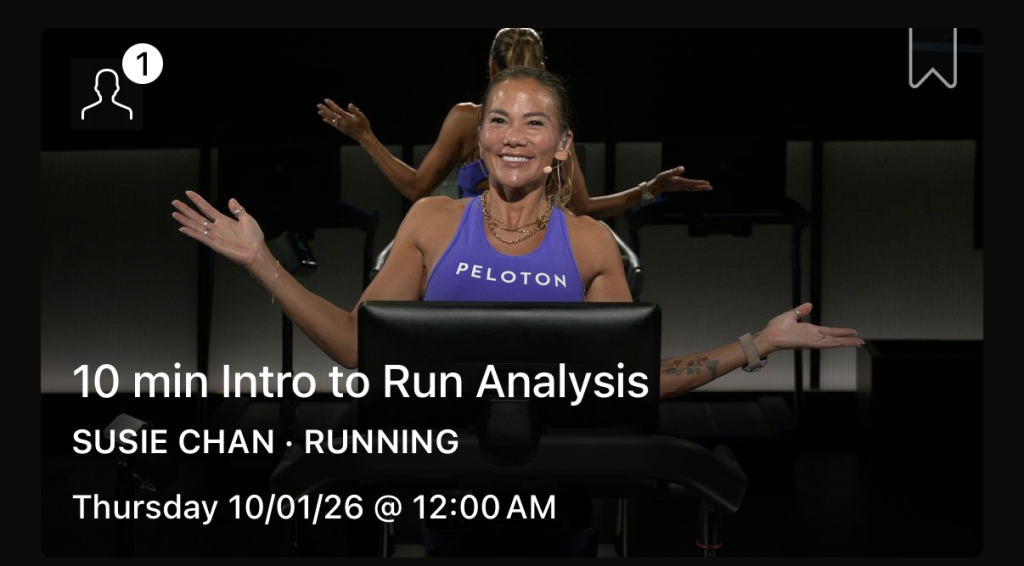
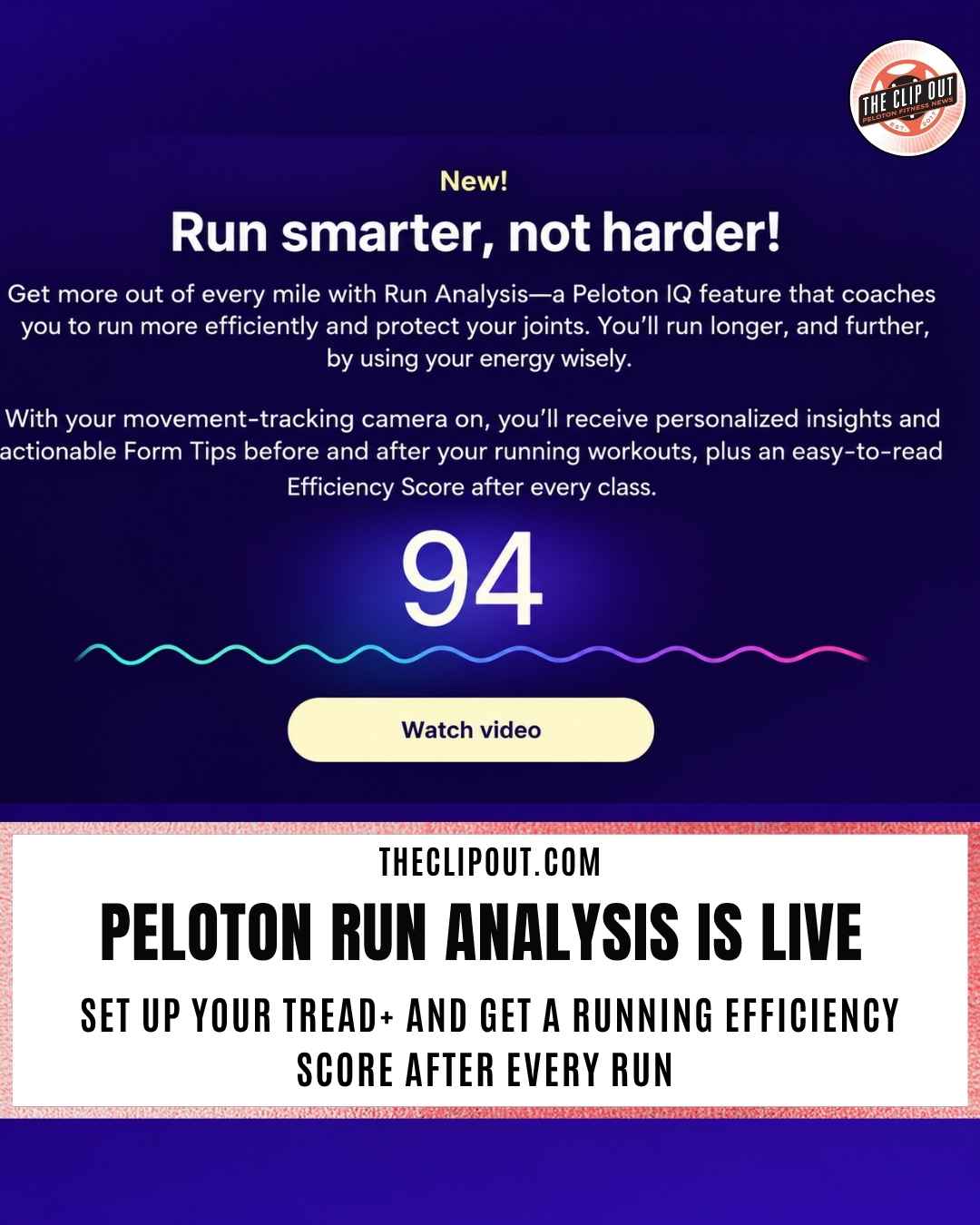
Peloton Run Analysis is now live on the Tread+, giving runners a Running Efficiency Score from 1 to 100 after every class. The Peloton IQ feature started rolling out on Oct. 1, 2026, alongside a 10-minute intro class led by Susie Chan that explains how the movement-tracking camera reads your running form.
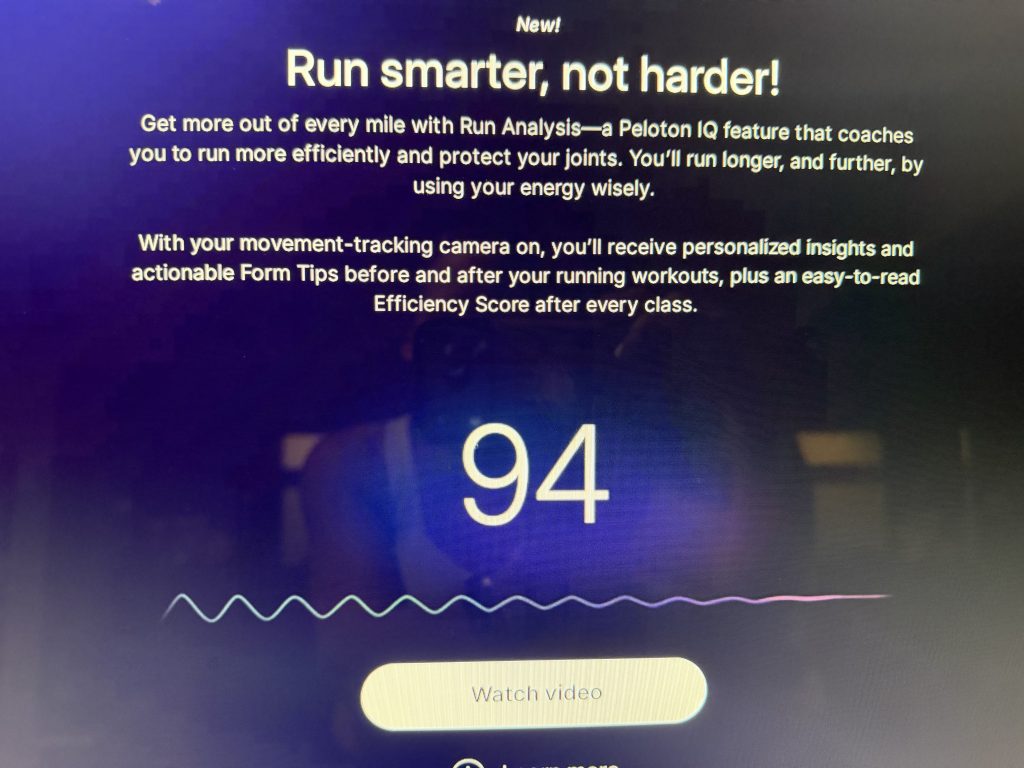
Peloton Run Analysis works on the Cross Training Tread+, Tread Vision, and Tread+ Vision, according to Peloton. All three include the movement-tracking camera the feature depends on. The Clip Out first covered the 1 to 100 scoring system ahead of release, noting that the new folding Tread Flex does not include the camera and will not support it.
How Peloton Run Analysis Works
Peloton Run Analysis uses the movement-tracking camera to analyze biomechanical markers as you run. According to Susie, those markers are the key indicators of running efficiency, and the camera begins tracking once you reach an easy pace or faster.
The camera looks at three things:
• Cadence: the number of steps you take each minute
• Stride length: the distance between those steps
• Vertical oscillation: how high you bounce when you run
Stride length and vertical oscillation together measure vertical ratio, which Susie describes as the balance between your forward movement and your upward movement. That balance is the clearest signal of how efficiently you are running, and it sits at the center of every Peloton Run Analysis score.
Peloton told Engadget it developed Peloton Run Analysis with a biomechanics group that specializes in running and injury prevention. On the Tread+ itself, Peloton frames the goal as running more efficiently and protecting your joints, so you can run longer and further by using your energy wisely.
How to Set Up Peloton Run Analysis on Tread+
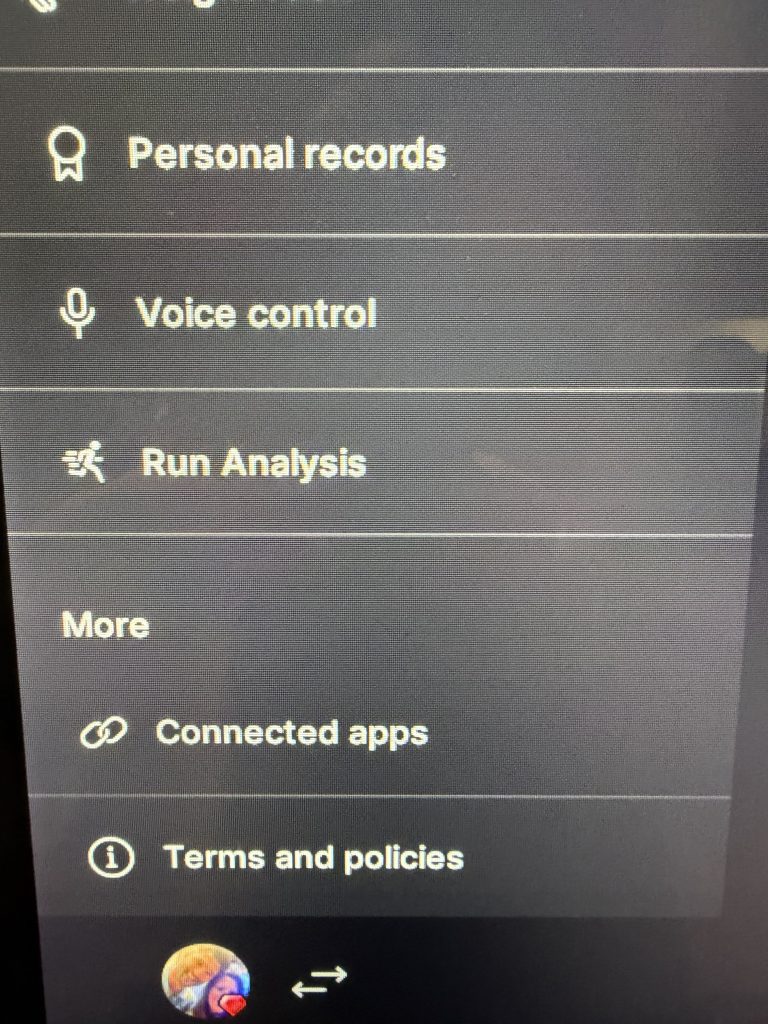
Peloton Run Analysis lives under Profile Settings on the touchscreen. The Run Analysis menu has two options: Camera calibration, which sets up the tablet and camera, and a toggle for Efficiency Score and personalized tips, which delivers a score after every run plus tips before and after each workout.
Calibration takes a few minutes. Before starting, Peloton asks you to:
• Angle the touchscreen straight ahead
• Tilt the camera down as far as it will go
• Wear form-fitting clothing
• Make sure the room is well lit
• Be the only person in view, with no photos of people within sight of the camera
• Set the incline to 0
• Line up your ankles with the seam in the side panels at the back of the Tread+
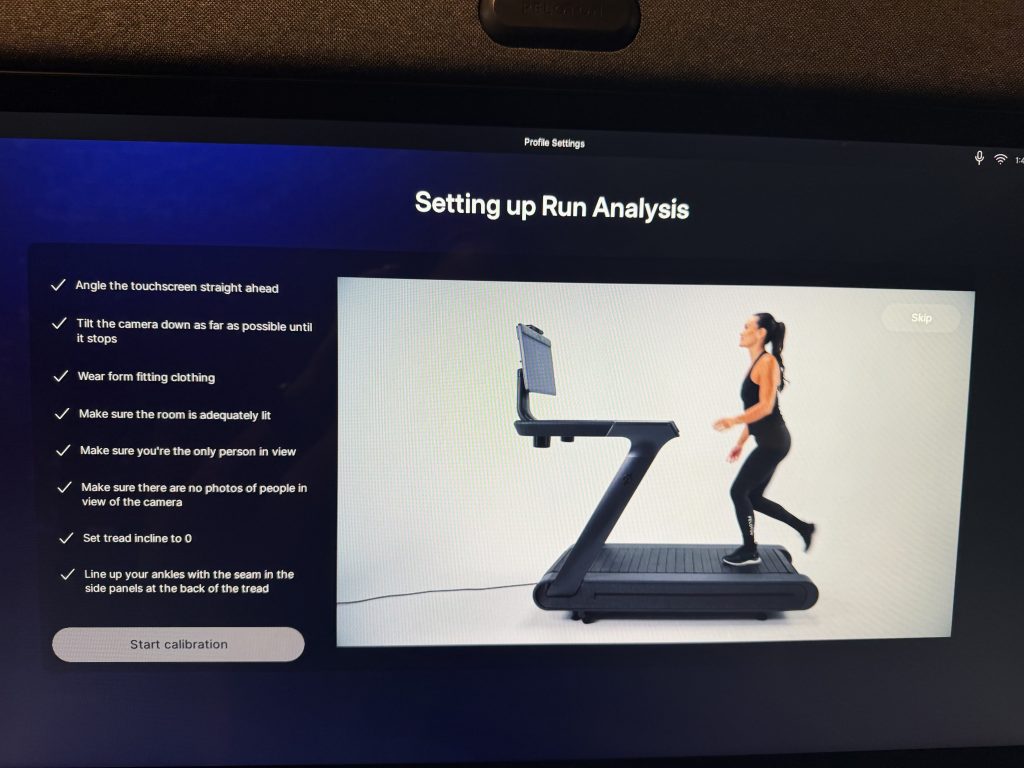
From there, you can go through a short simulation with Susie or skip ahead. Susie covers the same information in the simulation and the intro class, so skipping does not mean missing anything.
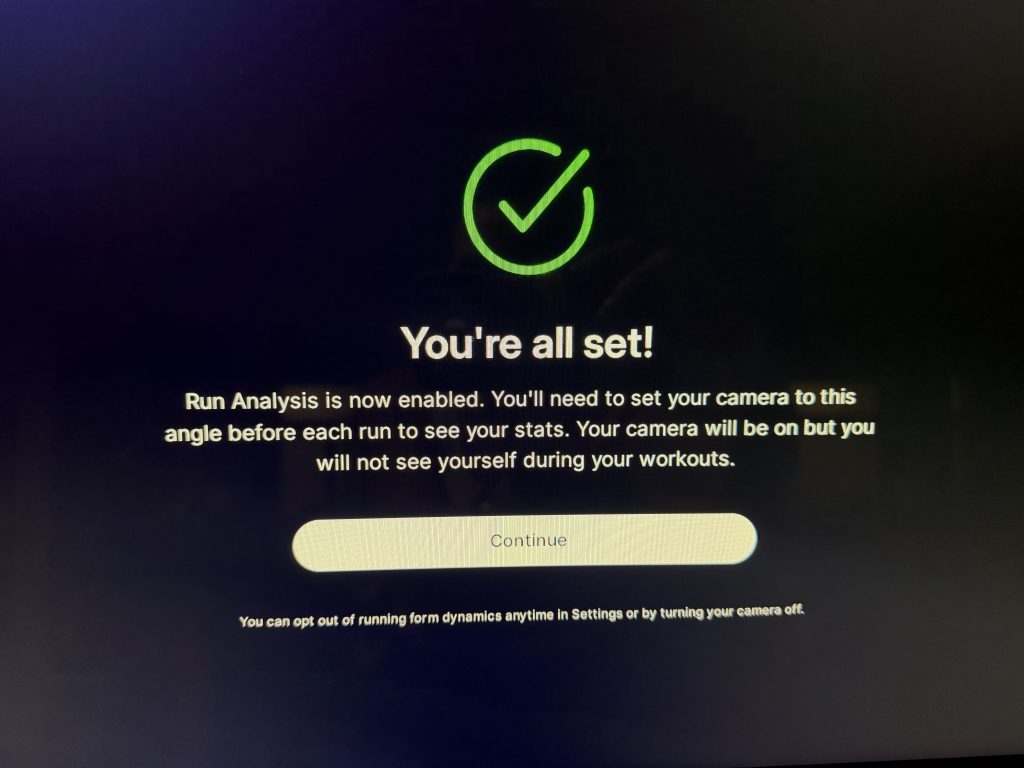
Once calibration is complete, Peloton Run Analysis is enabled. You will need to set the camera to the same angle before each run to see your stats. The camera stays on during class, but you will not see yourself on screen. You can opt out anytime in Settings or by turning the camera off, and a “Run Analysis on” confirmation appears on the class start screen when it is active.
Inside the 10 Minute Intro to Run Analysis Class
Susie Chan’s 10 min Intro to Run Analysis premiered Thursday, Oct. 1. The class starts at an easy pace and moves into a moderate pace for most of the run, then finishes with one minute at a challenging pace before the cool down.
Susie notes that efficiency will vary across different paces, and the class moves through several of them in a short window. It is the natural first class for anyone new to Peloton Run Analysis, whether or not you completed the setup simulation.
Reading Your Running Efficiency Score
At the end of class, a popup on the left side of the screen shows your Running Efficiency Score. The full Peloton Run Analysis breakdown lives in your workout details under its own Run Analysis tab, alongside Overview, Body Activity, Pace Targets, Graphs, and Splits.
The Running Efficiency Score sits on a scale from Bouncy at the low end to Smooth at 100. In one example from a 20 min 2000s Pop Run with Hannah Frankson, a runner scored 87, with a note that their form got less bouncy after seven minutes and a cue to think fast feet and low effort while the legs warm up.
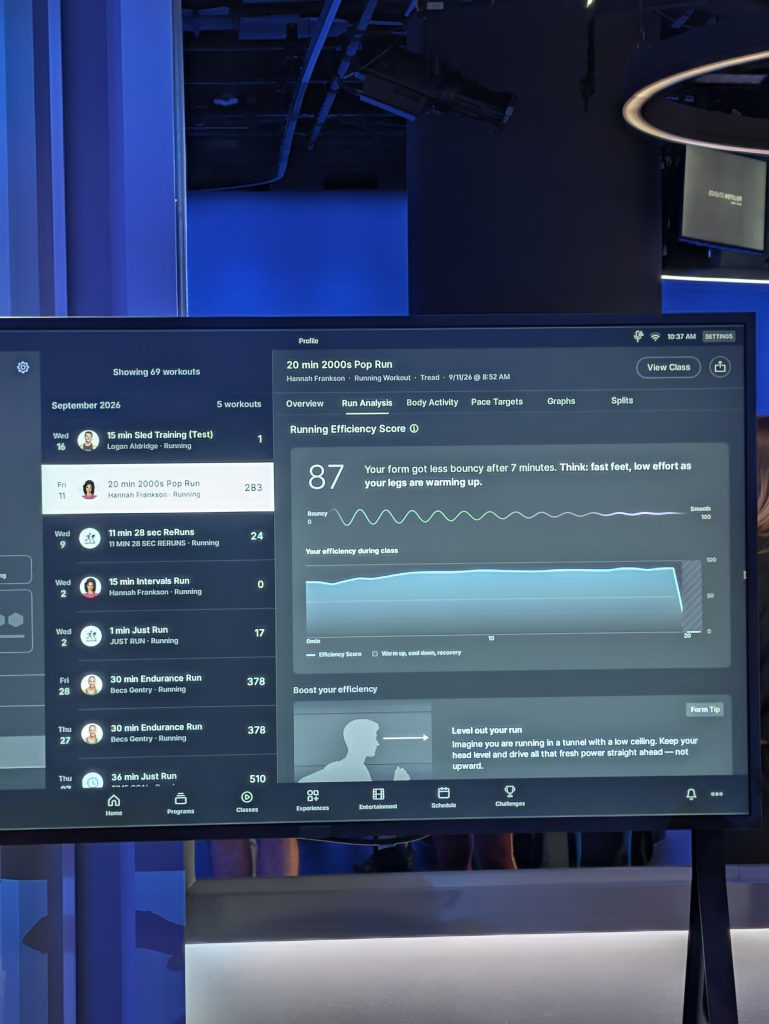
A graph below the score tracks efficiency minute by minute across the class, with warm up, cool down, and recovery segments shaded separately so they do not skew the picture.
Personalized coaching is built into Peloton Run Analysis through a Boost your efficiency section. In the same example, a Form Tip called “Level out your run” asked the runner to imagine running in a tunnel with a low ceiling, keeping the head level and driving power straight ahead rather than upward. A Body Activity breakdown follows, showing which muscle groups did the most work.
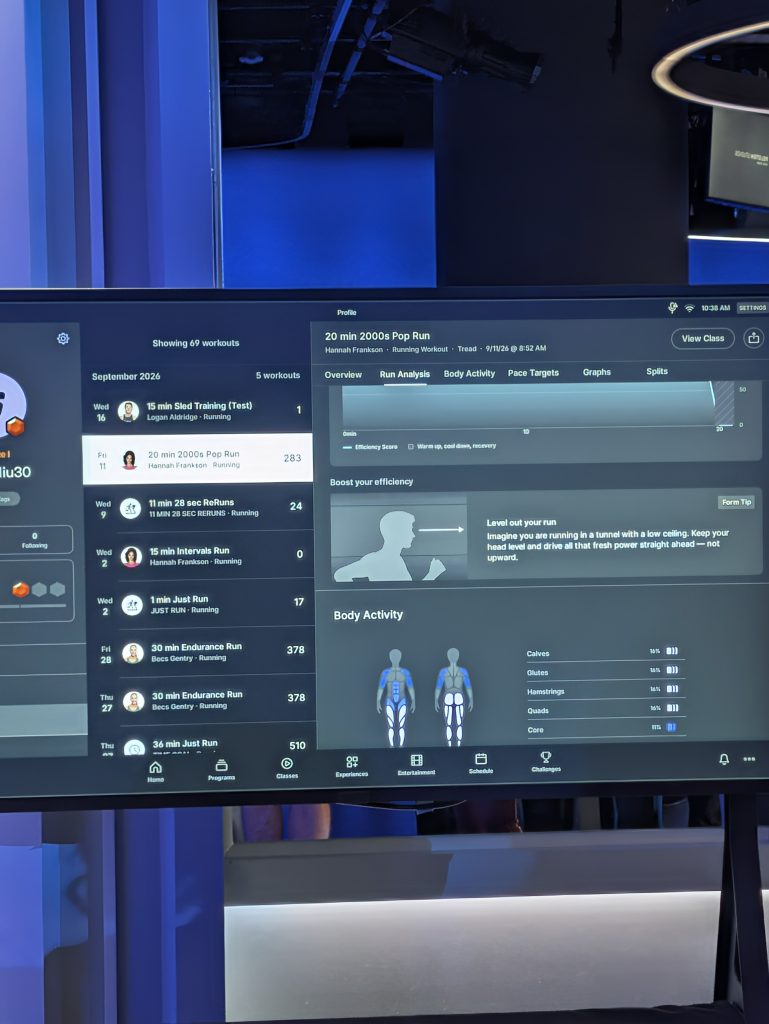
Because tips arrive before and after each workout, Peloton Run Analysis is designed to shape the next run as much as it grades the last one. For Tread+ runners, the Running Efficiency Score turns form from something you guess at into something you can track over time.
The Clip Out is an independent Peloton news site with reporting, analysis, and community insights. We deliver breaking updates, feature reporting, and expert context on the stories driving the community and the industry. Our weekly podcast offers deeper conversation and perspective, and you can find us on Apple Podcasts, Spotify, iHeart, TuneIn, and YouTube Music. You can also follow us on our socials on Facebook, Threads, Instagram, BlueSky, and YouTube. See something in the Peloton universe that you think we should know? Visit us at theclipout.com and submit a tip.
About the Author: Jen Kern

Latest Podcast

Subscribe
Keep up with all the Peloton news!