Peloton Movement Preferences Add 20 Helpful Class Flags
A Peloton Mobility setting lets members flag 20 movement types, mark them inside classes, and shape recommendations around what their bodies need.
Peloton movement preferences give members a way to flag exercises they would rather skip before a class ever starts. The setting lives under Mobility in the Peloton settings menu, and it changes two things at once: which classes Peloton recommends and which movements get marked inside a class.
If you are working around lower back trouble, wrist discomfort, or shaky balance, that is a practical upgrade. Instead of scanning a class plan move by move, you set Peloton movement preferences once and let the app handle the checking.
Where to Find Peloton Movement Preferences
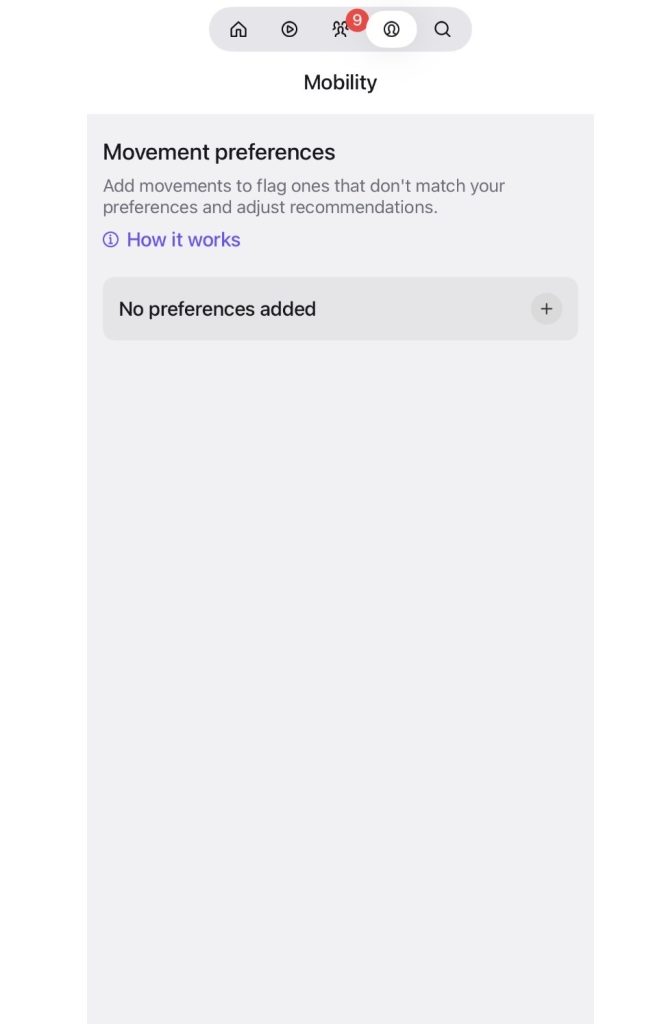
Peloton movement preferences are available across all Peloton equipment as well as the Peloton App. In the app, open Settings and look under the Preferences heading. Mobility sits between Content preferences and Heart Rate Zones. Tap it, and the Peloton Mobility setting opens to a Movement preferences screen that explains its purpose: add movements to flag the ones that don’t match your preferences and adjust your recommendations.
A “How it works” link sits just below that description. If you haven’t added anything yet, the screen reads “No preferences added” with a plus button to get started.
Peloton movement preferences sit right next to Content preferences, where members pick favorite instructors, music, and activity types. The two settings work as a pair. One steers Peloton toward what you like, and the other steers it away from what you need to avoid.
20 Movements You Can Flag
Tapping the plus button opens a list titled “Set movements to avoid.” Filter tabs across the top sort options into All, Upper body, Core and back, and Lower body, with at least one more tab tucked off the edge of the screen. Peloton movement preferences currently cover 20 movement categories:
• Bending forward: hinging or rounding at the waist
• Deep hip bending: moves that bring the thighs close to the chest
• Deep knee bending: moves reaching full knee flexion
• Extending and lifting back: arching or back-lifting
• Hand and grip strength: heavy gripping or holding
• Head below heart and rapid up-and-down: head below the hips and quick floor-to-standing moves
• Jumping and high impact: moves where both feet leave the floor
• Load-bearing wrist movements: weight-bearing through the hands
• Weighted overhead reaching: weighted reaches above shoulder height
• Lying on back: moves done lying on your back
• Lying on stomach: all face-down moves
• Pelvic floor and core pressure: moves with high internal core pressure
• Repetitive knee bending: high-repetition knee bending
• Side bending: lateral flexion or waist-bending
• Side-to-side movements: lateral shifts and side steps
• Single-leg and balance: moves requiring one-leg stability
• Spinal compression: weight stacked on your spine
• Twisting: core rotation and torso pivots
• Weighted hinging: weighted bending like deadlifts
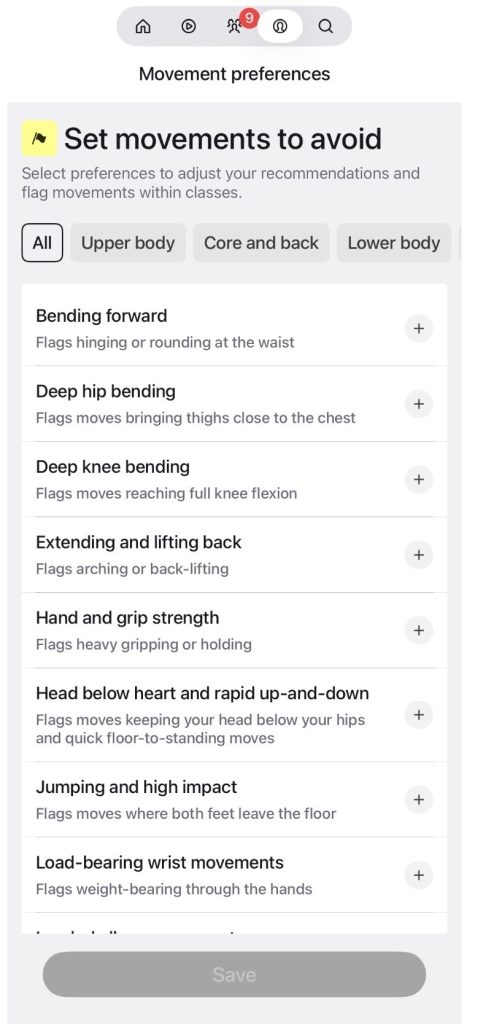
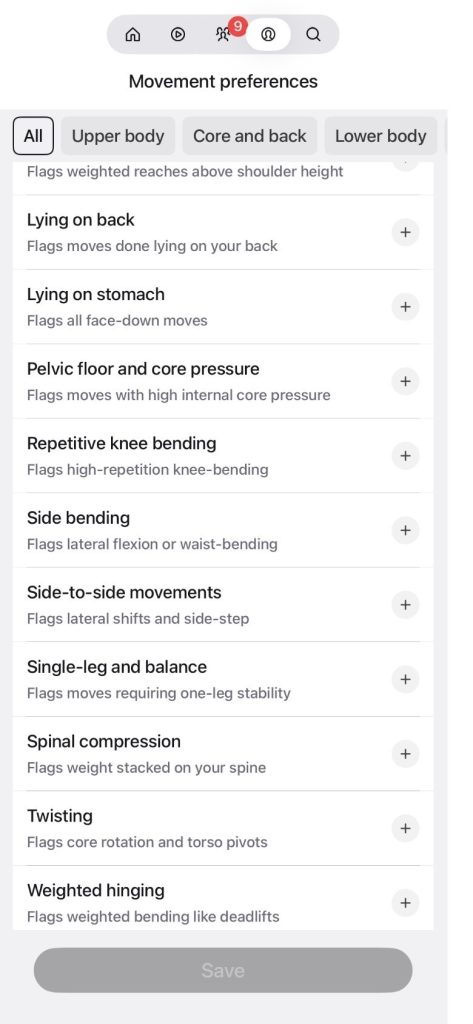
The range is what stands out. Some categories focus on joints, some on body position, and some on load. A member can flag lying on stomach without touching anything related to jumping, and that level of detail is what makes Peloton movement preferences useful for such a wide mix of needs.
How the Peloton Mobility Setting Flags Classes
Tap any category and a detail card explains what it covers. The Bending forward card notes that bending forward can aggravate lower back issues, and that the selection flags movements like forward folds and toe touches to identify spinal flexion. It then lists examples: cat-cow, child’s pose, Jefferson curls, seated forward fold, sit-ups, standing forward fold, toe touches, and V-ups.
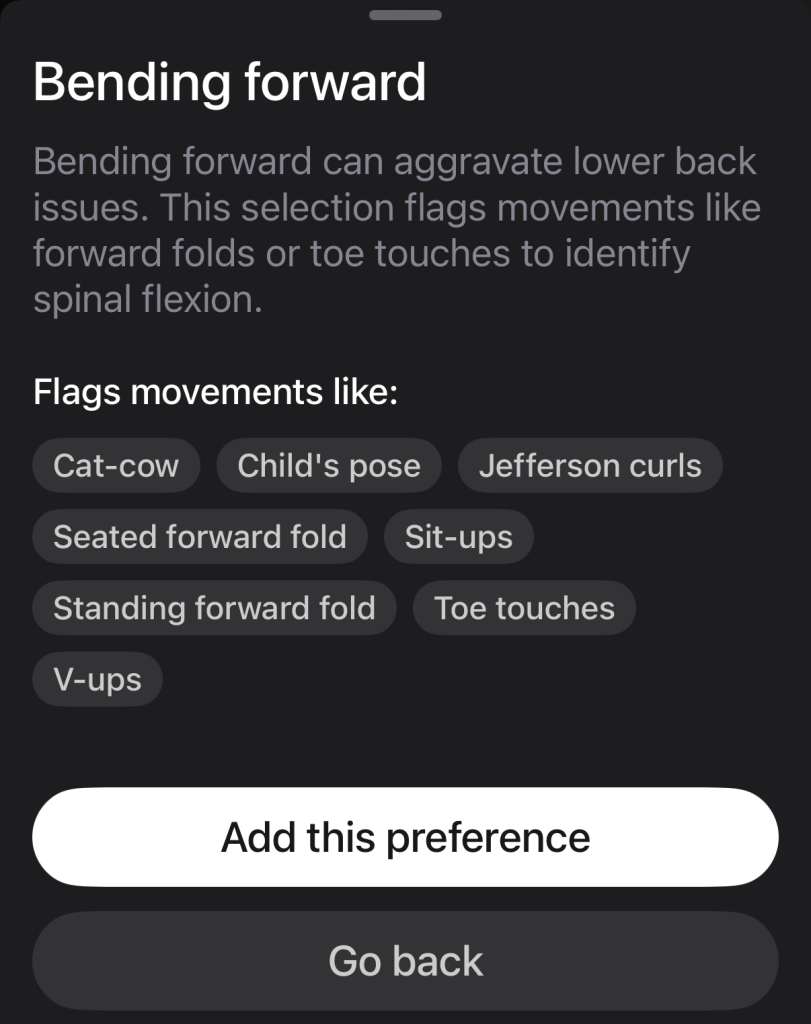
That example list is worth a closer look. It pulls from Yoga poses, core work, and mobility-focused strength moves, which shows Peloton movement preferences reach well beyond any single class type. Child’s pose and V-ups rarely land in the same sentence, yet one preference flags both.
From each card, members choose “Add this preference” or “Go back.” Once your selections are set, the Save button at the bottom of the list locks them in.
What Happens After You Save Peloton Movement Preferences
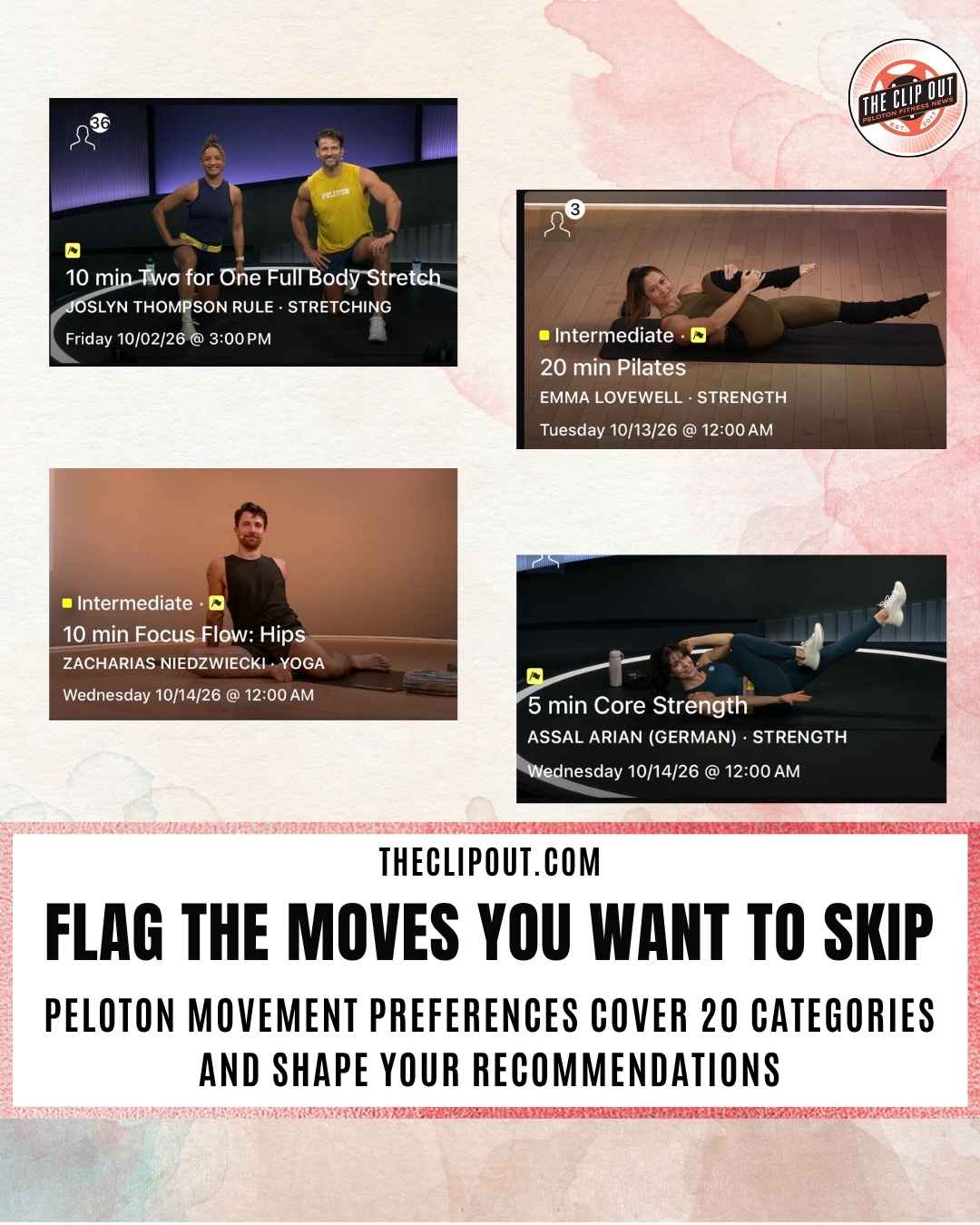
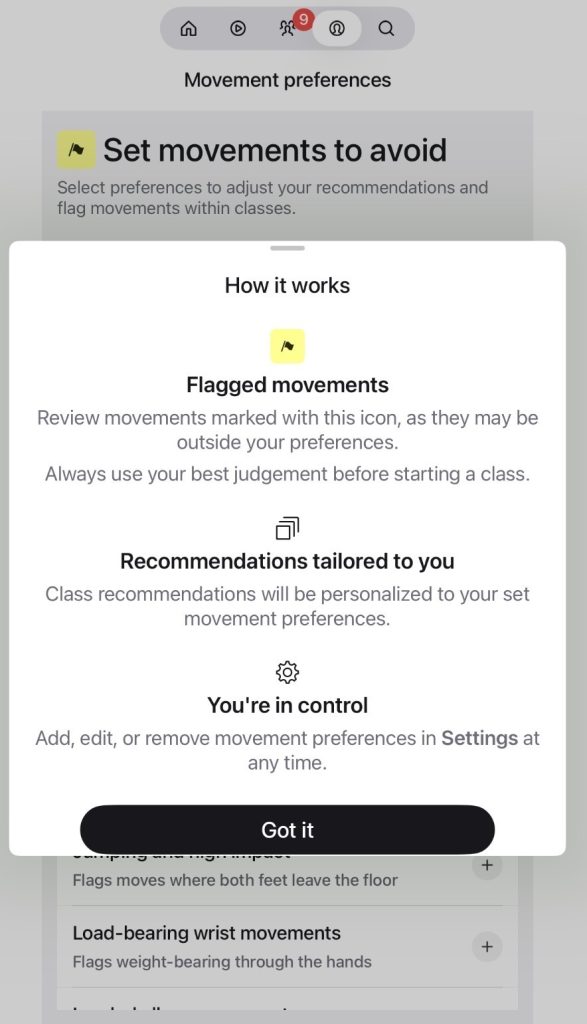
Peloton’s “How it works” panel lays out three outcomes. First, movements that may fall outside your preferences are marked with a yellow flag icon. That flag shows up right on the class card, as it does on a 5 min Core Strength class with Assal Arian (German) scheduled for Wednesday, October 14, 2026. Peloton pairs the flag with a reminder to always use your best judgment before starting a class.
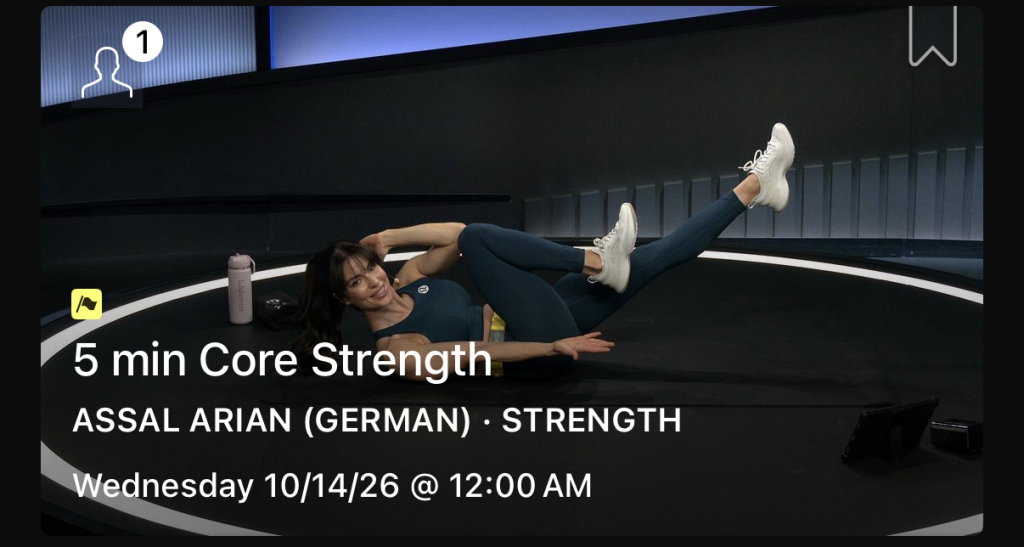
Second, class recommendations become personalized to the movement preferences you set. Personalized recommendations are one of the features Peloton listed when it introduced Peloton IQ in October 2025, though the in-app panel describes this effect only as tailored recommendations.
Third, members stay in control. Peloton movement preferences can be added, edited, or removed in Settings at any time, so a preference set during a recovery stretch does not have to stay in place forever.
Who Gets the Most From Peloton Movement Preferences
The categories line up closely with common training limitations. Load-bearing wrist movements covers weight-bearing through the hands. Pelvic floor and core pressure flags moves with high internal core pressure. Head below heart and rapid up-and-down targets positions that keep the head below the hips, along with quick floor-to-standing transitions.
The flag works as a heads-up rather than a hard filter. Peloton asks members to review flagged movements and make their own call, which keeps the full library within reach while making the tradeoffs visible.
Paired with Content preferences, the Peloton Mobility setting moves Peloton closer to a library that adjusts to the member, instead of the other way around. For anyone who has bailed on a class after spotting a move they could not do, Peloton movement preferences move that screening step to the front, where it saves the most time.
The Clip Out is an independent Peloton news site with reporting, analysis, and community insights. We deliver breaking updates, feature reporting, and expert context on the stories driving the community and the industry. Our weekly podcast offers deeper conversation and perspective, and you can find us on Apple Podcasts, Spotify, iHeart, TuneIn, and YouTube Music. You can also follow us on our socials on Facebook, Threads, Instagram, BlueSky, and YouTube. See something in the Peloton universe that you think we should know? Visit us at theclipout.com and submit a tip.
About the Author: Jen Kern

Latest Podcast

Subscribe
Keep up with all the Peloton news!