Peloton Following Tab Delivers 3 Simpler Feed Views
The App’s Community Feed Now Lets Members Filter by Following, Teams, or Everyone
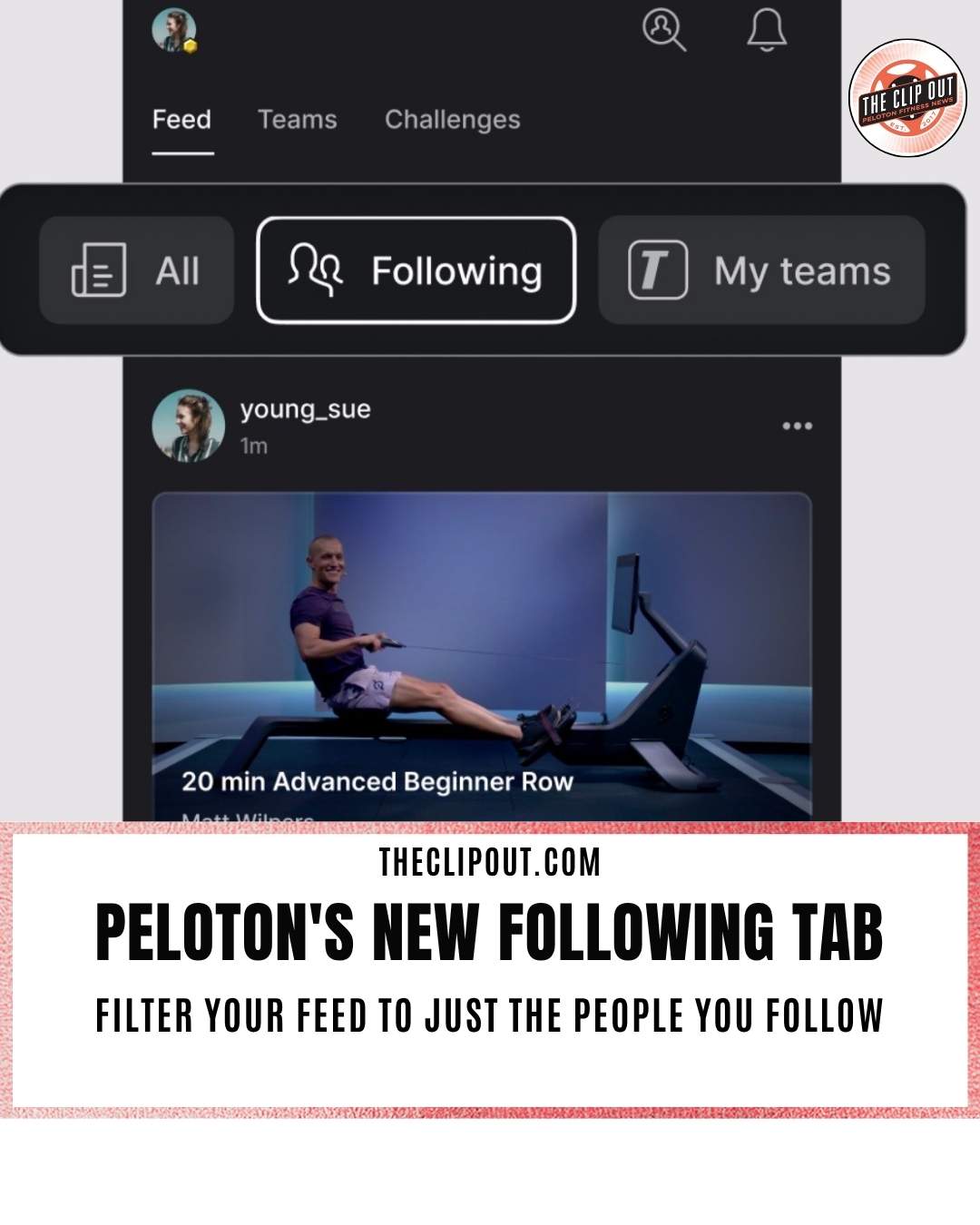
The Peloton Following Tab has landed inside the app’s Community Feed, giving members a direct way to see workouts from just the people they follow. The update splits the Feed into three filtered views, a change members have been asking for since Peloton widened what shows up there earlier this year.
What the Peloton Following Tab Actually Does
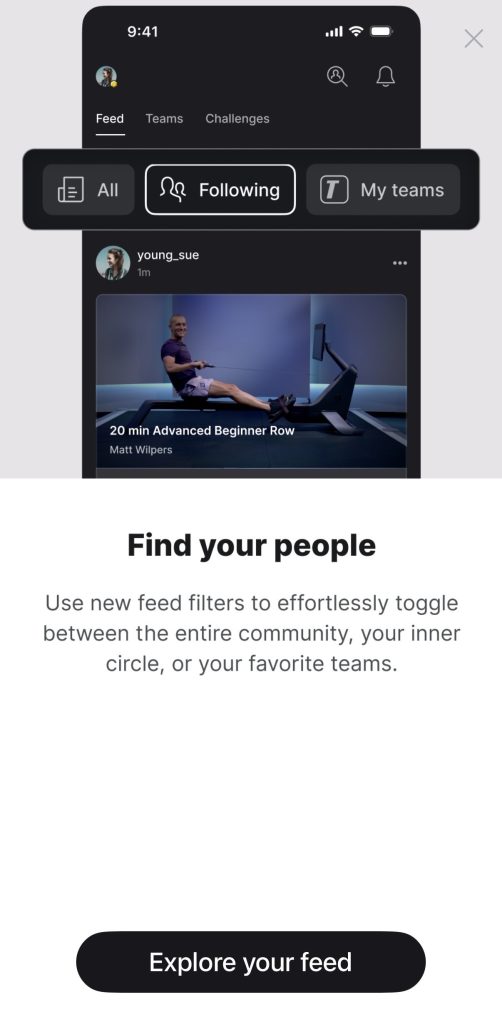
The Feed now opens to three tabs: All, Following, and My Teams. All remains the default mixed view, blending posts from people you follow, your teams, and community highlights. The Peloton Following Tab narrows that down to a single stream of workouts from the members you personally follow, with nothing else mixed in. My Teams does the same for team activity, showing posts only from groups you have joined.
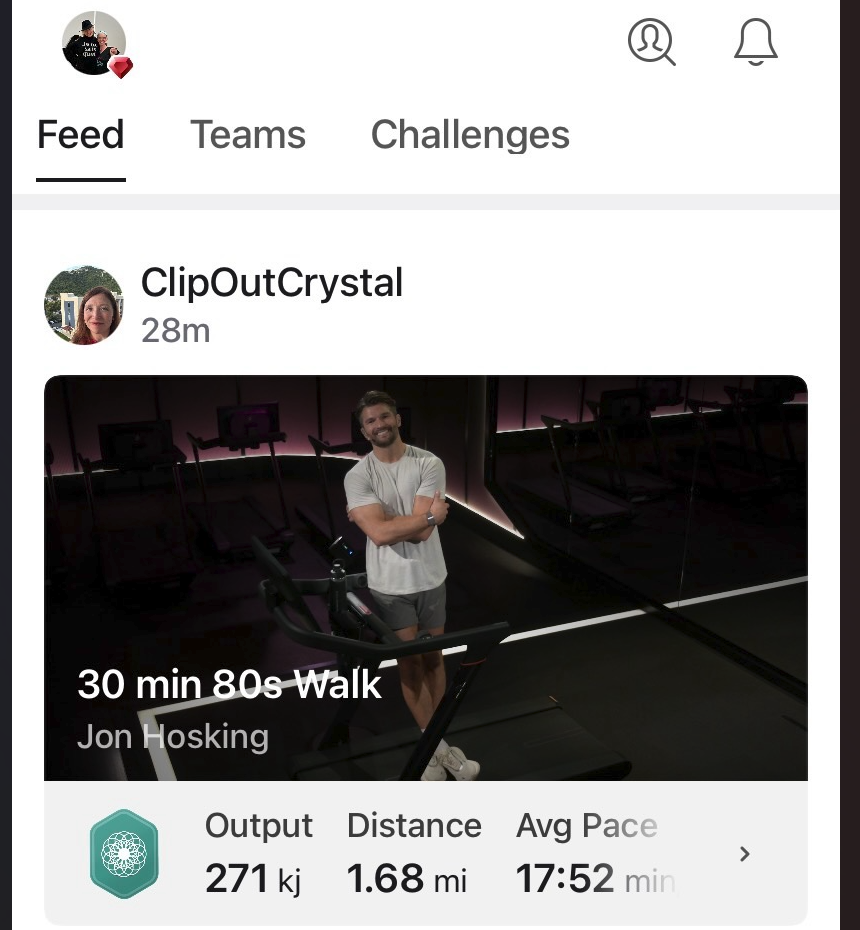
Prior to the Update
For members who mainly open the Feed to check on friends, the Peloton Following Tab strips away the noise. There is no algorithmic sorting and no recommended content from teams you have not joined. It is simply a chronological list of the people in your circle.
Why Peloton Added Feed Filters Now
Peloton Feed filters arrive after months of back and forth on what the Feed should show. Earlier this year, Peloton changed the Feed to surface only badge and milestone workouts, a shift that frustrated members who relied on it to track everyday activity from friends. Peloton reversed that change in May and restored the fuller activity view.
The Peloton Following Tab looks like Peloton’s answer to that whole debate. Rather than picking one version of the Feed for everyone, the app now lets members choose. Anyone who wants the curated, algorithm-driven mix can stay on All. Anyone who just wants a straightforward friend activity log has the Peloton Following Tab available with one tap.
How to Find the Peloton Following Tab
The three filters sit at the top of the Feed screen, just below the Feed, Teams, and Challenges navigation. Tapping Following switches the view instantly, and the app remembers the selection the next time the Feed opens. Peloton has also been running a short in-app callout introducing the new filters, framing the update as a way to help members “find their people” inside the Feed.
Where the Update Fits in Peloton’s Social Push
Peloton Feed filters are the latest piece of a broader community buildout that has included chat and reactions inside the Feed and, more recently, photo sharing inside Teams posts. Each addition has pushed the Feed and Teams sections further toward a self-contained social space rather than a simple activity log. Peloton has described this focus on Teams and the Community Feed as a way for members to check in on each other and celebrate wins together.
The Peloton Following Tab does not change what content exists in the Feed. It changes how easily members can get to the version they actually want. For a platform that has spent the past year adjusting and readjusting how the Feed behaves, giving members the controls directly may be the simplest fix yet.
The Clip Out is an independent Peloton news site with reporting, analysis, and community insights. We deliver breaking updates, feature reporting, and expert context on the stories driving the community and the industry.
Our weekly podcast offers deeper conversation and perspective, and you can find us on Apple Podcasts, Spotify, iHeart, TuneIn, and YouTube Music. You can also follow us on our socials on Facebook, Threads, Instagram, BlueSky, and YouTube.
See something in the Peloton universe that you think we should know? Visit us at theclipout.com and submit a tip.
About the Author: Jen Kern

Latest Podcast


Subscribe
Keep up with all the Peloton news!