Peloton Garmin Sync Unlocks Full Two-Way Tracking
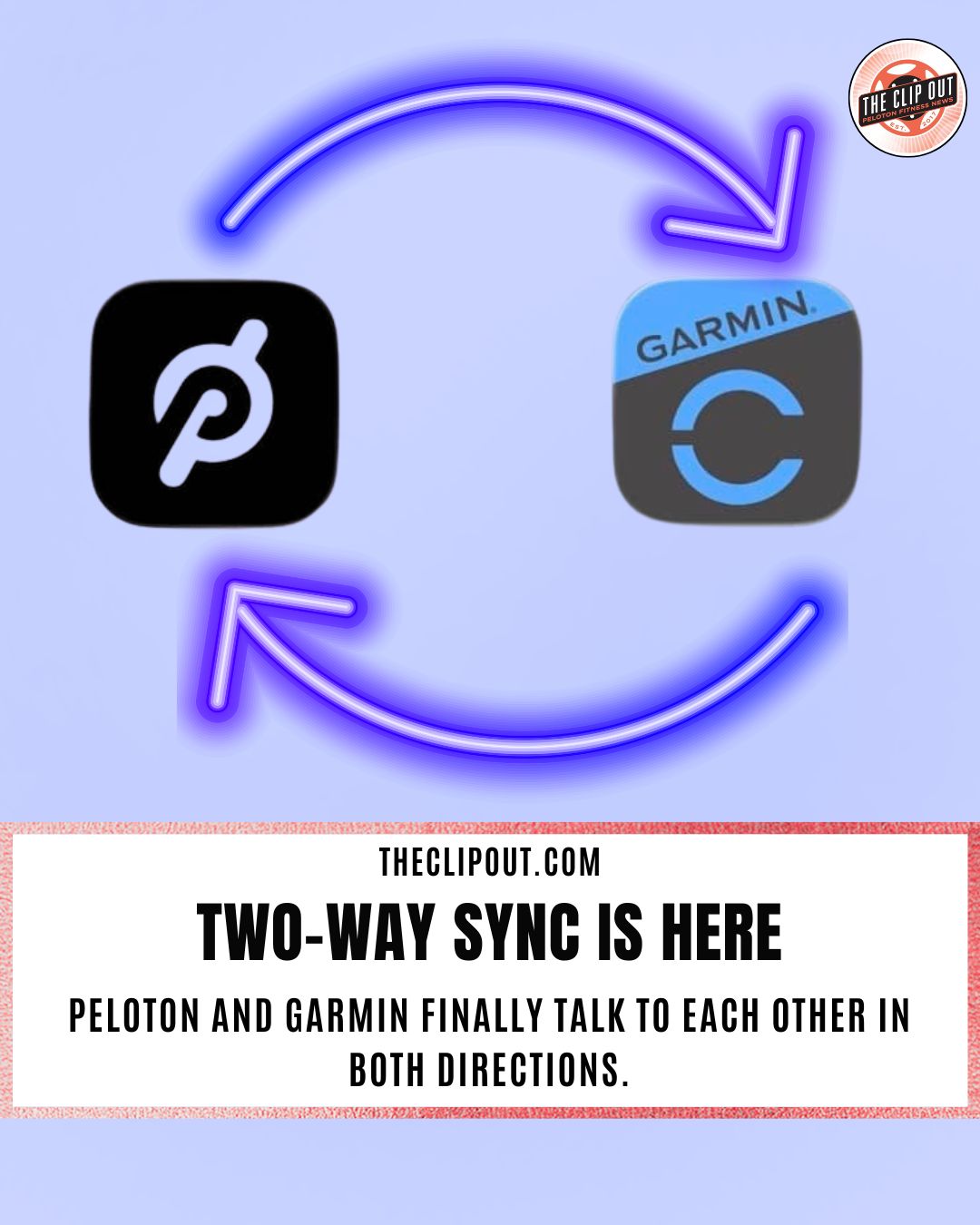
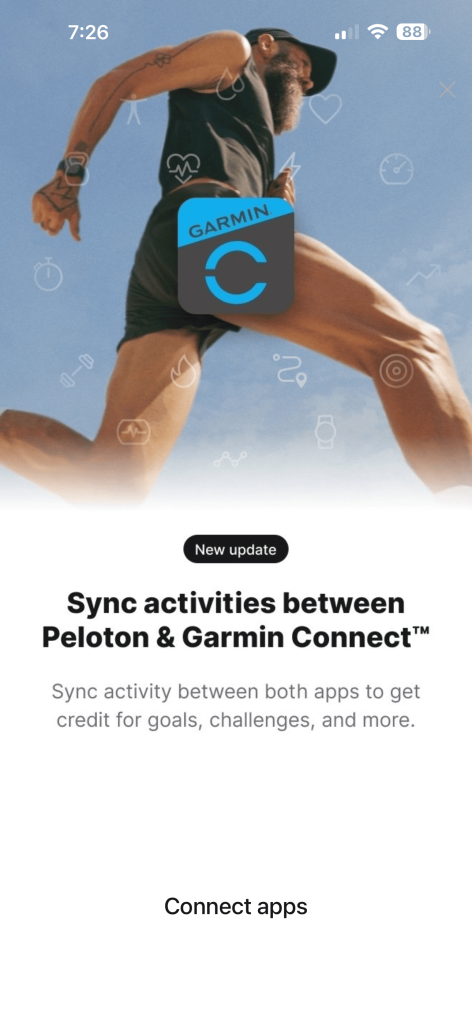
Peloton Garmin sync now works in both directions. Peloton workouts export directly to Garmin Connect, and Garmin workouts continue to flow into Peloton. The update arrived in March 2026 and is available through the latest version of the Peloton app on both iOS and Android.
How We Got Here
When Peloton introduced its Garmin integration in September 2025, it was a one-way connection. Garmin users could see their outdoor workouts on the Peloton platform, but Peloton sessions never showed up in Garmin Connect. At the time, The Clip Out noted the integration was a step in the right direction but flagged the missing reverse direction as a real limitation for anyone using Garmin Connect as their primary fitness hub.
For users who needed Peloton data in Garmin Connect, third-party tools like SyncMyWorkout and Peloton to Garmin (P2G) remained the only options. Garmin’s own documentation pointed members toward those unofficial workarounds, which led many to assume a native two-way solution was not coming anytime soon. You can read The Clip Out’s original coverage of the one-way integration here.
That has now changed. The new Peloton Garmin sync fills the gap. Completed Peloton sessions appear in Garmin Connect and carry over to compatible Garmin devices.
What Workout Types Does Peloton Garmin Sync Support
The Peloton Garmin sync covers every Peloton workout type: cycling, running, walking, rowing, strength, yoga, stretching, cardio, meditation, and all bootcamp (bike, tread and row) formats. Users can sync all workout types or limit it to specific categories. The two sync directions, Garmin to Peloton and Peloton to Garmin, work independently. Members can enable one, both, or neither.
One thing worth noting for milestone chasers: Garmin workouts imported into Peloton count toward streaks and milestones, so be careful not to accidentally import a Garmin workout when you are close to a big Peloton milestone.
What Data Does The Peloton Garmin Sync Transfer
What comes through depends on the workout type.
Cycling sends distance, time, speed, power, cadence, heart rate, and calories. Running and walking send the same set, with pace added. Rowing transfers distance, time, pace, speed, stroke rate, heart rate, calories, and Training Effect. Floor-based workouts like yoga, stretching, and strength send heart rate data and workout duration.
A few things do not transfer. Incline data from treadmill sessions is not included. Running cadence from the Peloton Tread does not carry over. Peloton-specific metrics like resistance and leaderboard position are not sent to Garmin Connect, though they do appear in Strava exports.
For cyclists used to full power meter data from outdoor rides, the Peloton Garmin sync covers average, max, and normalized power. Metrics like L/R balance, Intensity Factor, and Training Stress Score are not included.
How The Peloton Garmin Sync Affects Garmin Training Metrics
Once the Peloton Garmin sync is active, completed Peloton sessions feed directly into Garmin’s training calculations. Training Readiness, Acute Load, Recovery Time, and Endurance Score all update in Garmin Connect after a workout comes through.
One thing to know: Garmin calculates these metrics through the user’s primary training device, not directly in Garmin Connect. The synced workout needs to push to the watch and back before the numbers update. That process typically takes a few seconds.
One small issue has been flagged in early testing. There is a minor discrepancy between the calorie count recorded in Peloton and the active calorie figure that appears in Garmin Connect. It is a small difference for most users, but worth noting for longer or more intense sessions.
A Security Improvement Worth Noting
Earlier third-party workarounds required users to hand over their actual account credentials to outside services. The native Peloton Garmin sync uses OAuth authorization. Credentials are not shared.
How to Set Up Peloton Garmin Sync
Setup takes less than two minutes. Before getting started, make sure the Peloton app is updated to the latest version.
- Open the Peloton app on your phone.
- Tap your Profile icon in the bottom right corner.
- Tap the menu icon in the top right corner.
- Select Add-ons, then scroll to Connected Apps and Devices.
- Under the Apps section, tap Garmin Connect.
- Toggle on “Send To Garmin Connect.”
- Sign into your Garmin Connect account and authorize the connection.
- Choose which workout types to sync. All are enabled by default.
- You will be redirected back to the Peloton app with a confirmation that activities will sync.
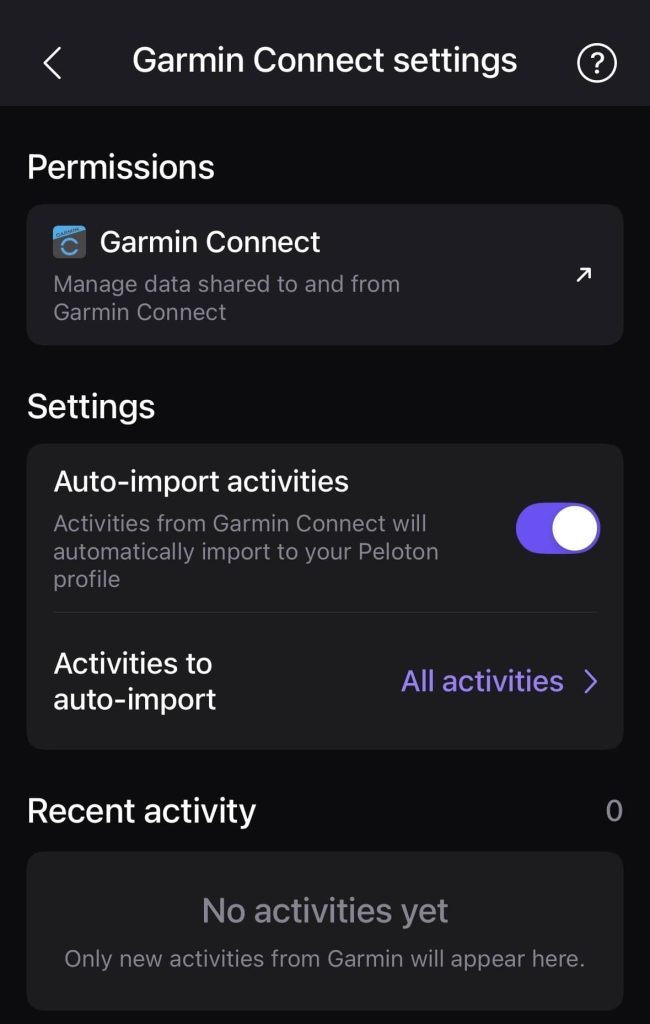
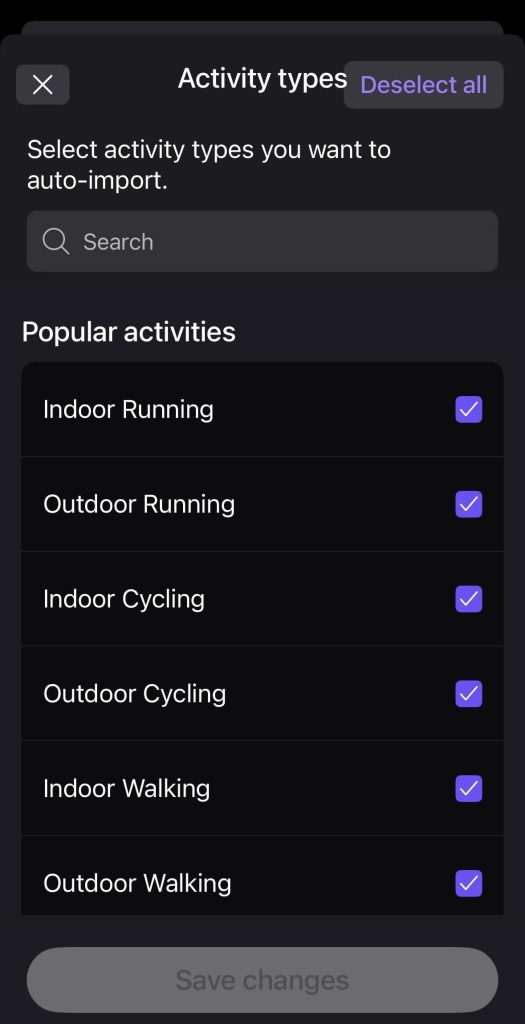
If the Send To Garmin Connect option does not appear, check that the Peloton app is updated to the latest version. Within the app, you can adjust your settings for what data you share and which activities are imported at any time.
Once linked, the sync runs automatically. It applies to workouts completed on Peloton equipment and through the app. No additional steps are needed.
To turn it off, use the same settings page in the Peloton app. The connection can also be managed or removed inside Garmin Connect by going to More, then Settings, then Connected Apps, then Send Activities To Peloton.
A Note on Duplicate Activities
Users who wear a Garmin watch during Peloton sessions may end up with two activity records. Garmin handles this by merging duplicates behind the scenes for Training Load and related metrics. Double-counting is not a concern.
For Peloton members who track sleep, recovery, HRV, and readiness in Garmin, this update closes a gap that has existed since the original integration launched. Peloton sessions now feed into the full training picture. For official setup information directly from Peloton, visit the Peloton wearables integration page.
As a Clip Out member, this two-way sync has been a long time coming and it is great to finally see it here. If you are a Peloton or Garmin user, have you set it up yet? Let us know in the comments.
The Clip Out is an independent Peloton news site with reporting, analysis, and community insights. We deliver breaking updates, feature reporting, and expert context on the stories driving the community and the industry.
Our weekly podcast offers deeper conversation and perspective, and you can find us on Apple Podcasts, Spotify, iHeart, TuneIn, and YouTube Music. You can also follow us on our socials on Facebook, Threads, Instagram, BlueSky, and YouTube.
See something in the Peloton universe that you think we should know? Visit us at theclipout.com and submit a tip.
About the Author: Jen Kern

Latest Podcast




Subscribe
Keep up with all the Peloton news!