
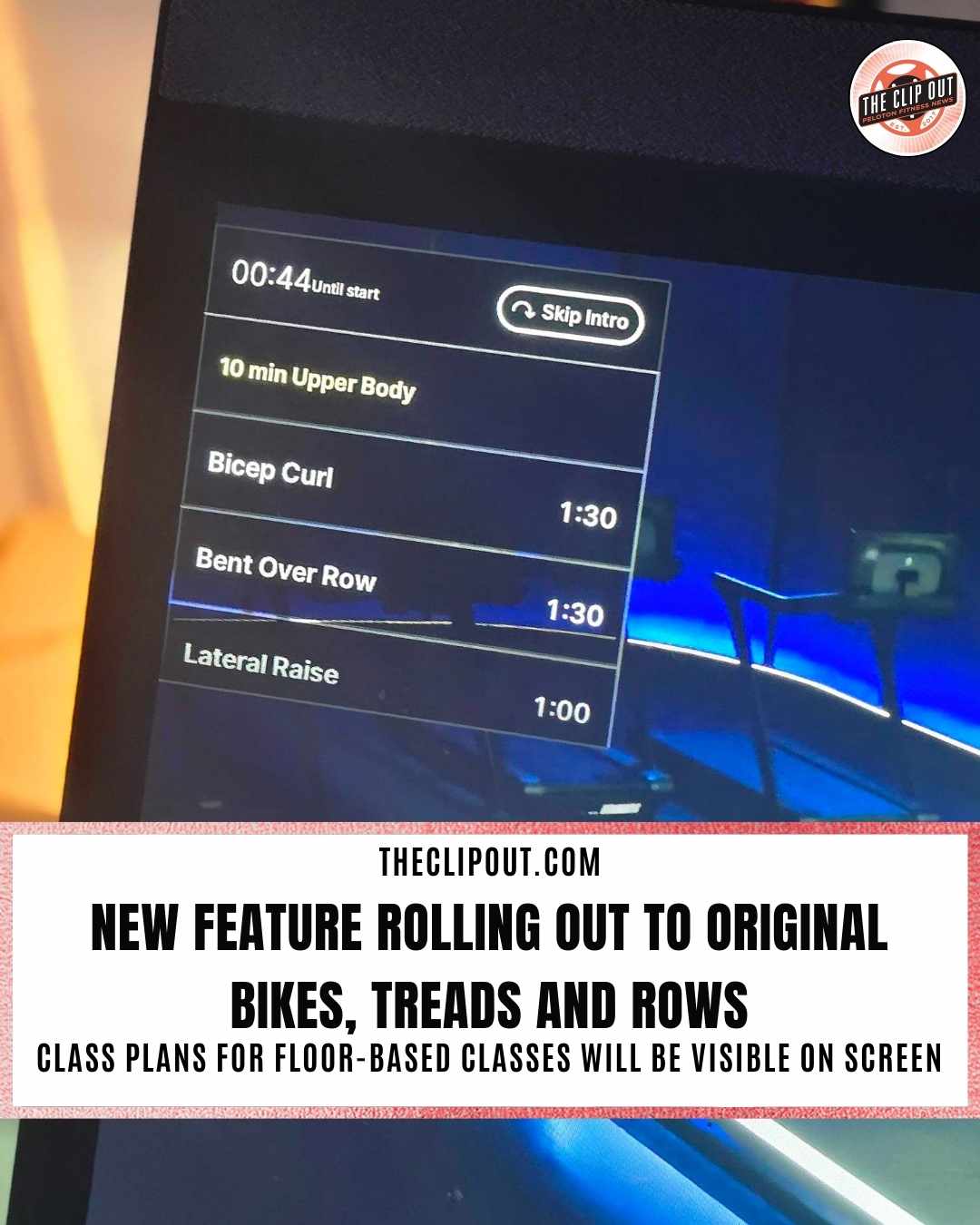
Helpful New Peloton Class Plan Feature Is Rolling Out to Bikes, Treads, and Rows
The Peloton class plan feature is rolling out to original Bikes, Bike+, Treads, Tread+, and Rows. Previously only available on the Peloton Guide and on the newer Cross Training Series hardware since launch, this feature is now making its way to a much wider Member audience.
The Peloton Class Plan Feature Explained
The Peloton class plan displays in a mini-window on the upper left side of the screen during floor-based classes, which includes Strength, Yoga, Barre, Pilates, Cardio, and similar disciplines. The window gives members a structured, at-a-glance view of the entire class from the moment they start.
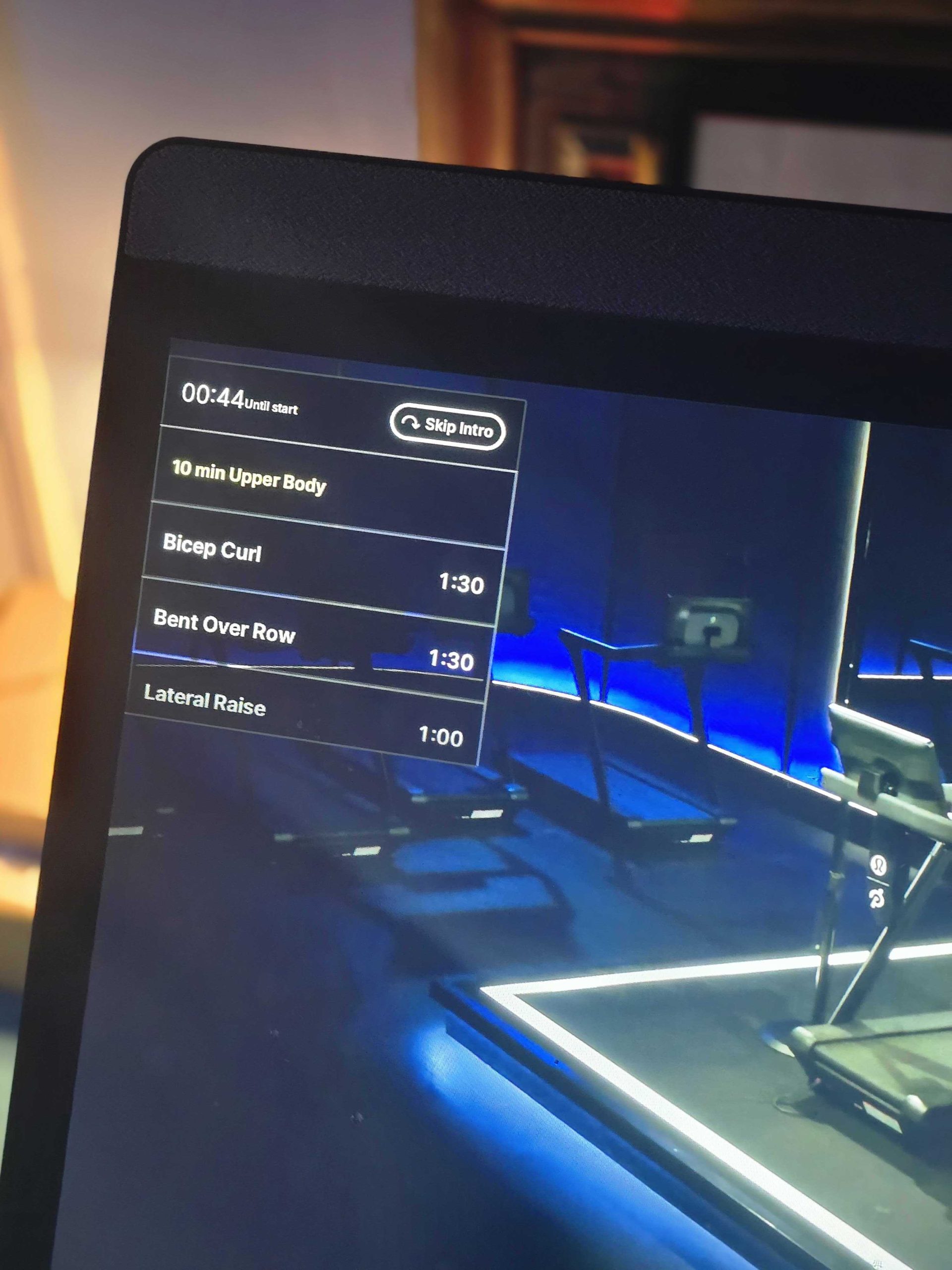
Here is what is included in the class plan window:
- The exercise you are currently doing is highlighted in yellow so it is easy to identify at a glance
- A timer shows how much time remains in the current segment
- You can scroll through the mini-window to preview upcoming exercises
- Built-in rest periods are visible so you always know when a break is coming
- Each segment displays its corresponding time, which is especially handy when you are counting down through a particularly tough exercise
- The Skip Intro button is also housed within this new window
For anyone who has ever wanted to know exactly what is coming next in a class, or how much longer a difficult movement will last, this is a genuinely useful addition to the on-screen experience.
What Has Changed on Screen
Along with the arrival of the Peloton class plan window, a couple of other notable interface changes have come along with it. The progress bar, which has traditionally been displayed across the top of the entire screen, has been moved into the mini-window. Members who are accustomed to glancing at the top of the screen to gauge their progress will need to adjust to looking at the new location.
The font for the class timer has also changed and is now smaller than it was previously. For members who rely on being able to read the timer clearly from a distance during a workout, this may take some getting used to. It is worth keeping in mind as you navigate the updated interface for the first time.
Guide Users Will Recognize It Right Away
If you are a Peloton Guide owner, the Peloton class plan feature will look very familiar. It has been available on the Guide for some time and was consistently one of the most well-received features among Guide users. The Guide community embraced it quickly, and it is easy to see why: having a clear, scrollable roadmap of a class visible throughout the workout adds a real layer of confidence and preparation to the experience.
Members who have been working out on Peloton’s Cross Training Series hardware have also had access to this feature since those devices launched, so for them it is business as usual. For everyone else on older hardware, this is a welcome update.
Things To Note When You See It
The class plan feature is currently rolling out, which means not every member will see it at exactly the same time. If you have not spotted it yet on your machine, keep an eye out during your next floor-based class. Once it appears, take a moment to scroll through the mini-window before class begins so you can familiarize yourself with the layout and know what is ahead.
The Clip Out is an independent Peloton news site with reporting, analysis, and community insights. We deliver breaking updates, feature reporting, and expert context on the stories driving the community and the industry.
Our weekly podcast offers deeper conversation and perspective, and you can find us on Apple Podcasts, Spotify, iHeart, TuneIn, and YouTube Music. You can also follow us on our socials on Facebook, Threads, Instagram, BlueSky, and YouTube.
See something in the Peloton universe that you think we should know? Visit us at theclipout.com and submit a tip.
About the Author: Nikki Smith

Latest Podcast





Subscribe
Keep up with all the Peloton news!