
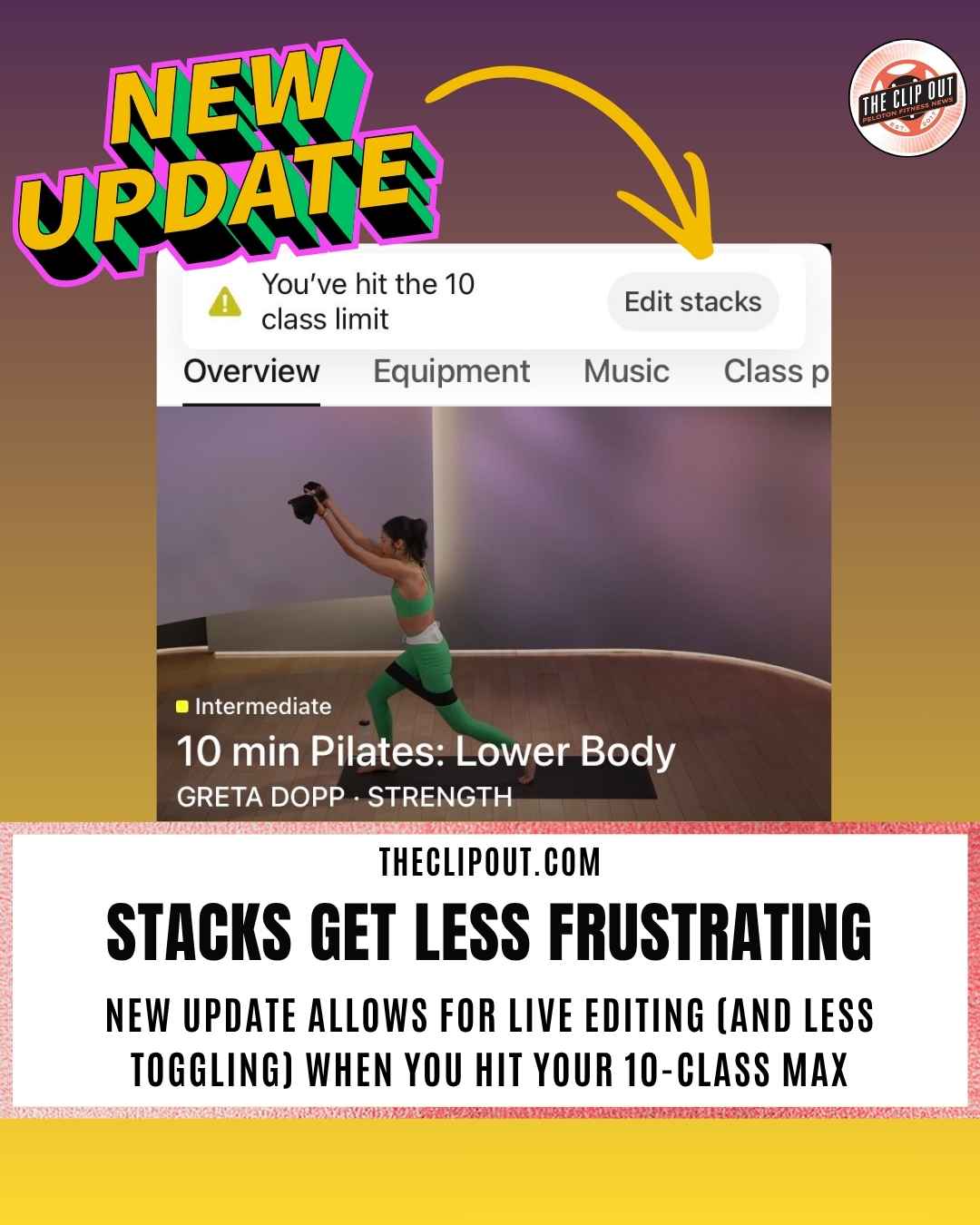
Peloton Stack Gets Smarter: Edit Your Queue at the Limit
A small but useful update has quietly rolled out to the Peloton Stack on the app. Members adding classes to their queue can now edit their existing Peloton Stack when they hit the 10-class limit, rather than simply being told they have maxed out and left with nowhere to go.
What the Peloton Stack Is and How the Limit Works
The Peloton Stack is a queuing feature that lets members line up to 10 on-demand classes to play back-to-back. It has long been a go-to tool for members who want to pair a warm-up ride with a strength session, or chain several shorter classes into one longer training block. Once a class is completed, it is automatically removed from the queue. The 10-class cap has applied across all Peloton platforms since the feature launched.
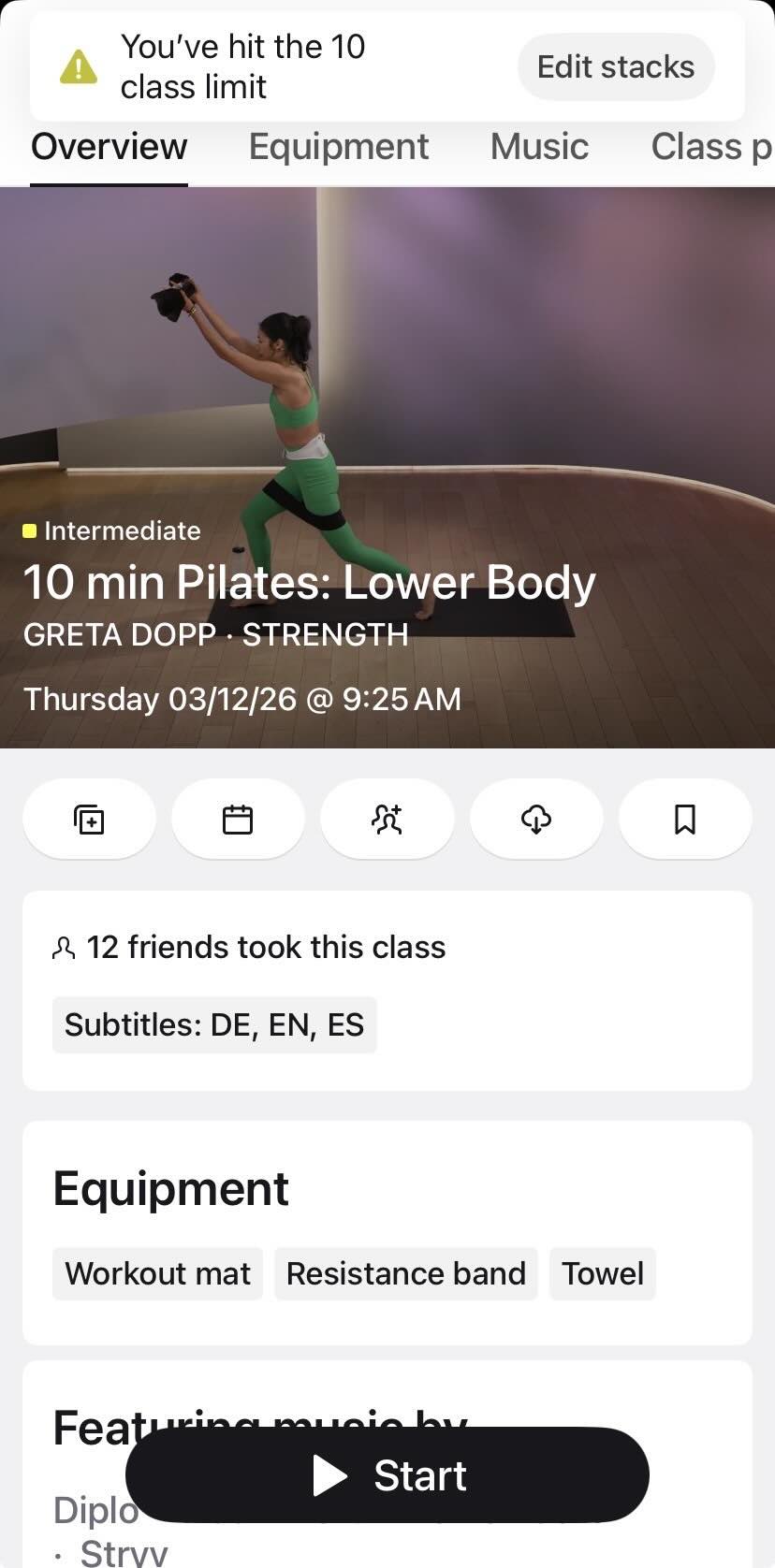
Check out the top of this mobile view! You can now edit your stack live and then return!
What Changed: Peloton Stack Edit Mode Appears Right at the Ceiling
Previously, when a member using the Peloton app reached 10 classes in their Peloton Stack while browsing for more to add, the app would display a message stating they were at the limit and could not add more. The browsing flow stopped there. With the updated behavior, hitting 10 classes now prompts the app to let the member edit their existing Stack, removing one or more classes, and then stay in the add-class flow so they can continue selecting without having to navigate away and start over.
Why This Fixes a Real Friction Point for High-Volume Planners
For members who plan multi-discipline workouts or long training blocks, the old workflow created unnecessary friction. If you were deep in the class browser, found something you wanted to add, and happened to be at the limit, you had to exit, open your Stack, manually remove a class, then navigate back to where you were. The updated behavior collapses those steps into one, keeping you inside the add-class mode throughout.
Members who regularly use the Peloton Stack to build out full training days will feel the difference immediately. Peloton has continued to improve its scheduling and planning tools in recent months, including updates to the Class Plan feature across Bikes, Treads, and Row.
What Has Not Changed
The 10-class ceiling itself has not moved. Live classes, encore classes, and scheduled classes still cannot be added to the Peloton Stack. The core behavior of the feature is unchanged. This update specifically addresses what happens at the moment you hit the cap. It is a workflow fix, not a limit expansion.
How to Check If the Update Is Live for You
If you use the Peloton app and regularly build out your Stack, the updated behavior should appear the next time you try to add a class while already at 10. Make sure your Peloton app is updated to the latest version if you are not seeing it yet. As with many Peloton app changes, the rollout may be gradual across devices.
The Clip Out is an independent Peloton news site with reporting, analysis, and community insights. We deliver breaking updates, feature reporting, and expert context on the stories driving the community and the industry.
Our weekly podcast offers deeper conversation and perspective, and you can find us on Apple Podcasts, Spotify, iHeart, TuneIn, and YouTube Music. You can also follow us on our socials on Facebook, Threads, Instagram, BlueSky, and YouTube.
See something in the Peloton universe that you think we should know? Visit us at theclipout.com and submit a tip.
About the Author: Elizabeth Schlosberg

Latest Podcast





Subscribe
Keep up with all the Peloton news!